How to use Pharmacy Patients: records, vitals, labels and refills
Create patient records with allergies and conditions, record vitals, save HMO details, dispense with printed medicine labels and follow up on refills.
Why it matters
Patients come back to the pharmacy that remembers them.
Safer dispensing
Allergies, conditions and current medicines are on screen before you sell.
Refill revenue
Refills Due lists who should be back for chronic medicines, with one-tap WhatsApp.
Professional labels
Every dispense prints a clear label with directions, cautions and who dispensed it.
What you’ll be able to do
- Add a patient with a clinical profile
- Record vitals
- Dispense with directions and print labels
- Follow up refills
Add a patient
- 1Open Pharmacy Patients and search first to avoid duplicates.
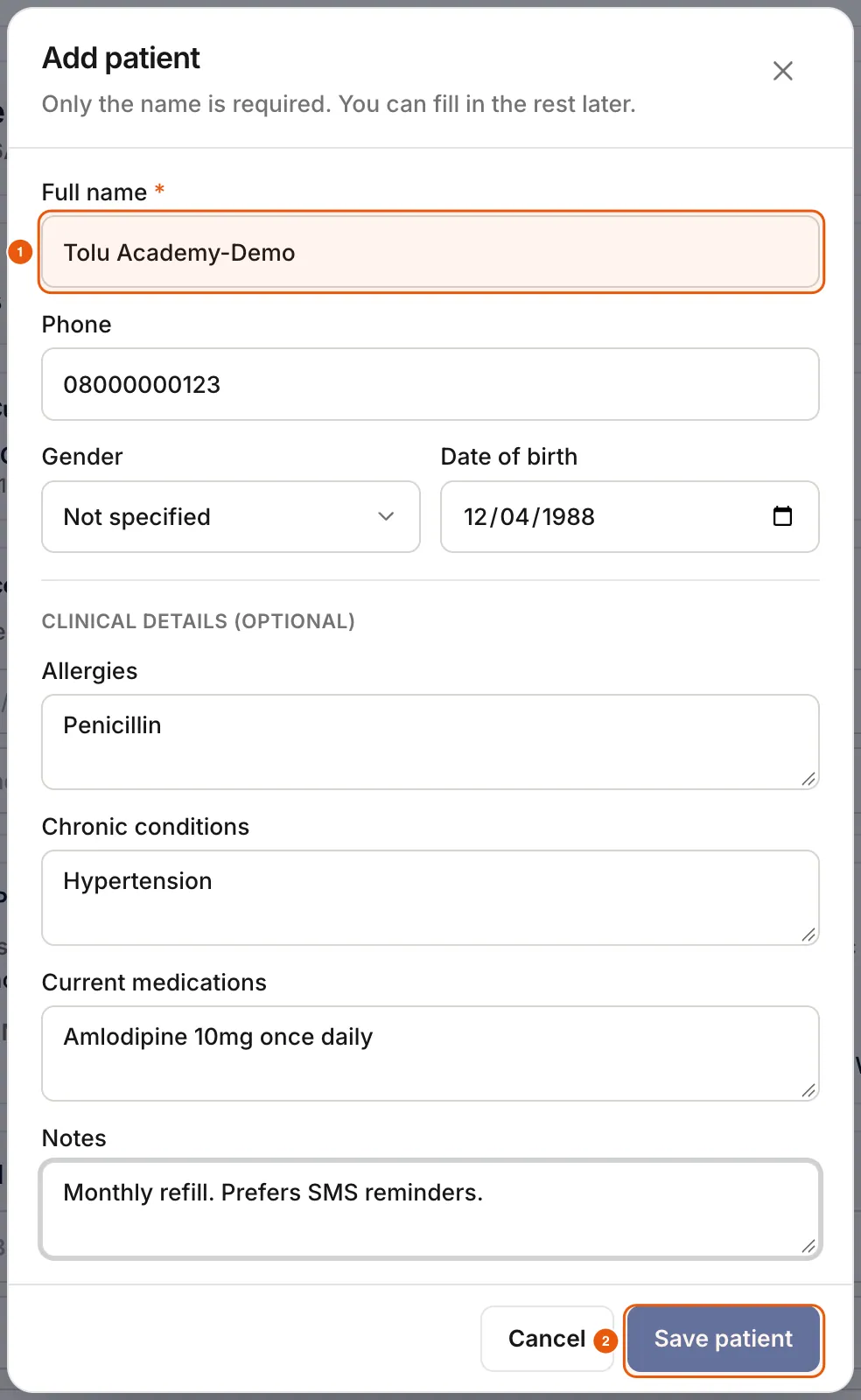
- 2Tap + Add patient. Only the full name is required.
- 3Add the phone number (used for refill reminders), gender and date of birth.
- 4Fill in allergies, chronic conditions, current medicines and notes, then Save patient.
The patient record
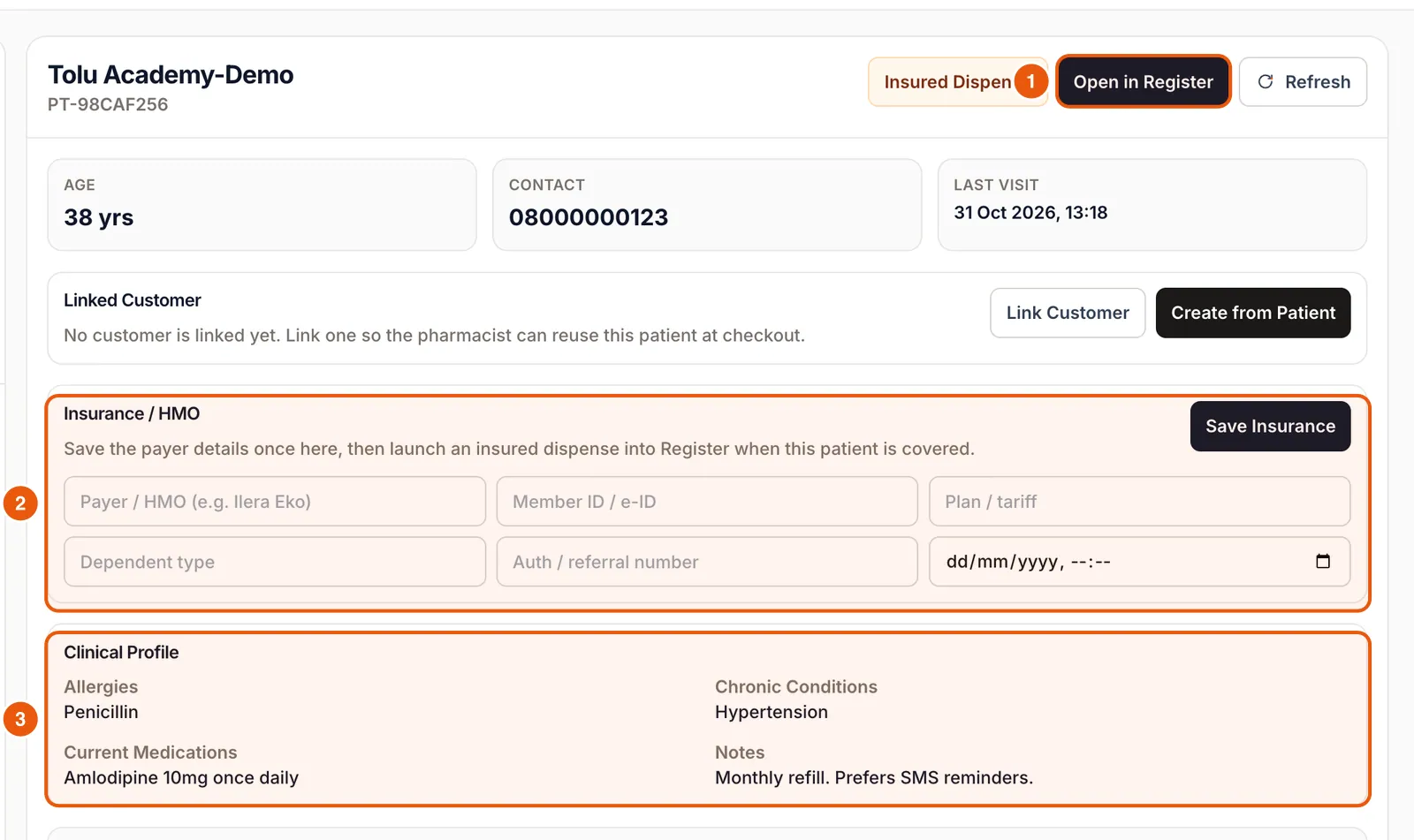
The record shows age, contact and last visit; a linked customer for checkout; Insurance / HMO details; and the clinical profile. Insured Dispense and Open in Register start a sale for this patient.
Record vitals
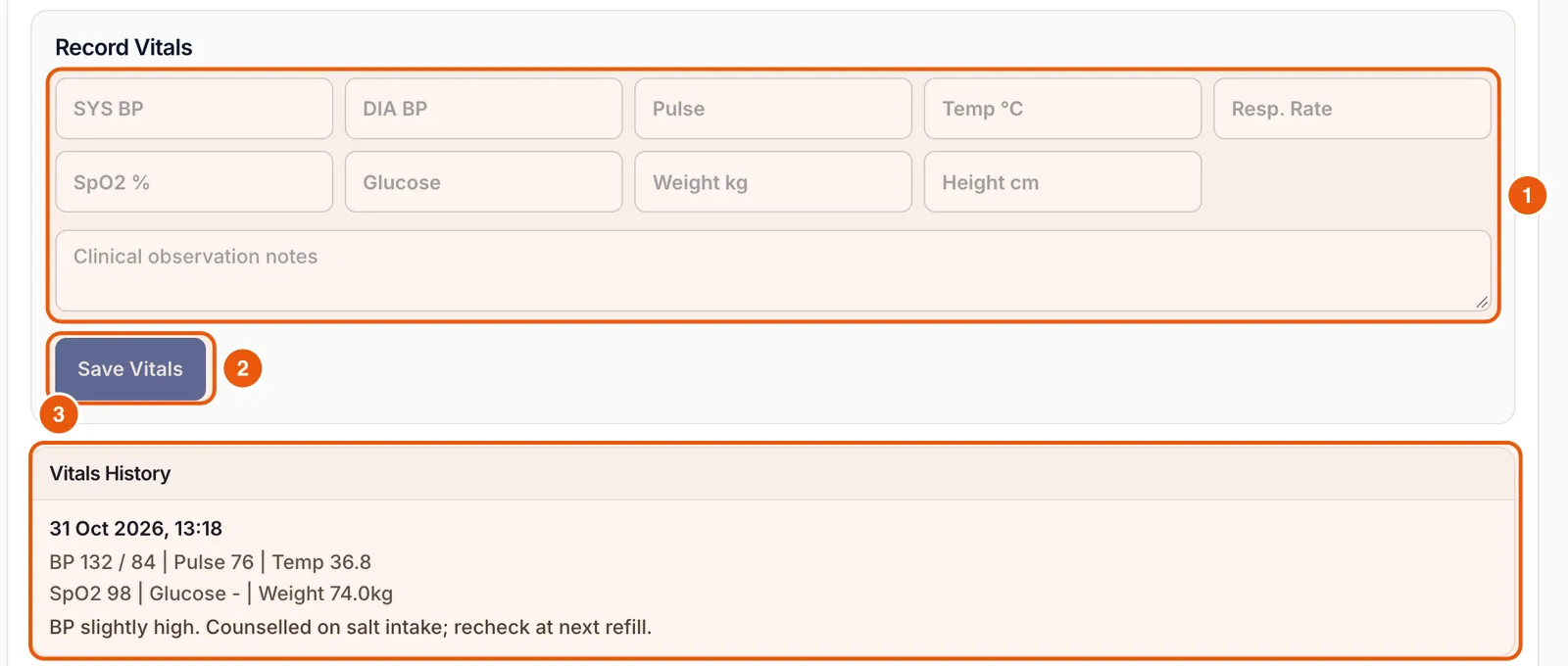
Fill in any of blood pressure, pulse, temperature, respiratory rate, SpO2, glucose, weight and height, add an observation note and tap Save Vitals. Vitals History keeps every reading with its date.
Dispense with directions
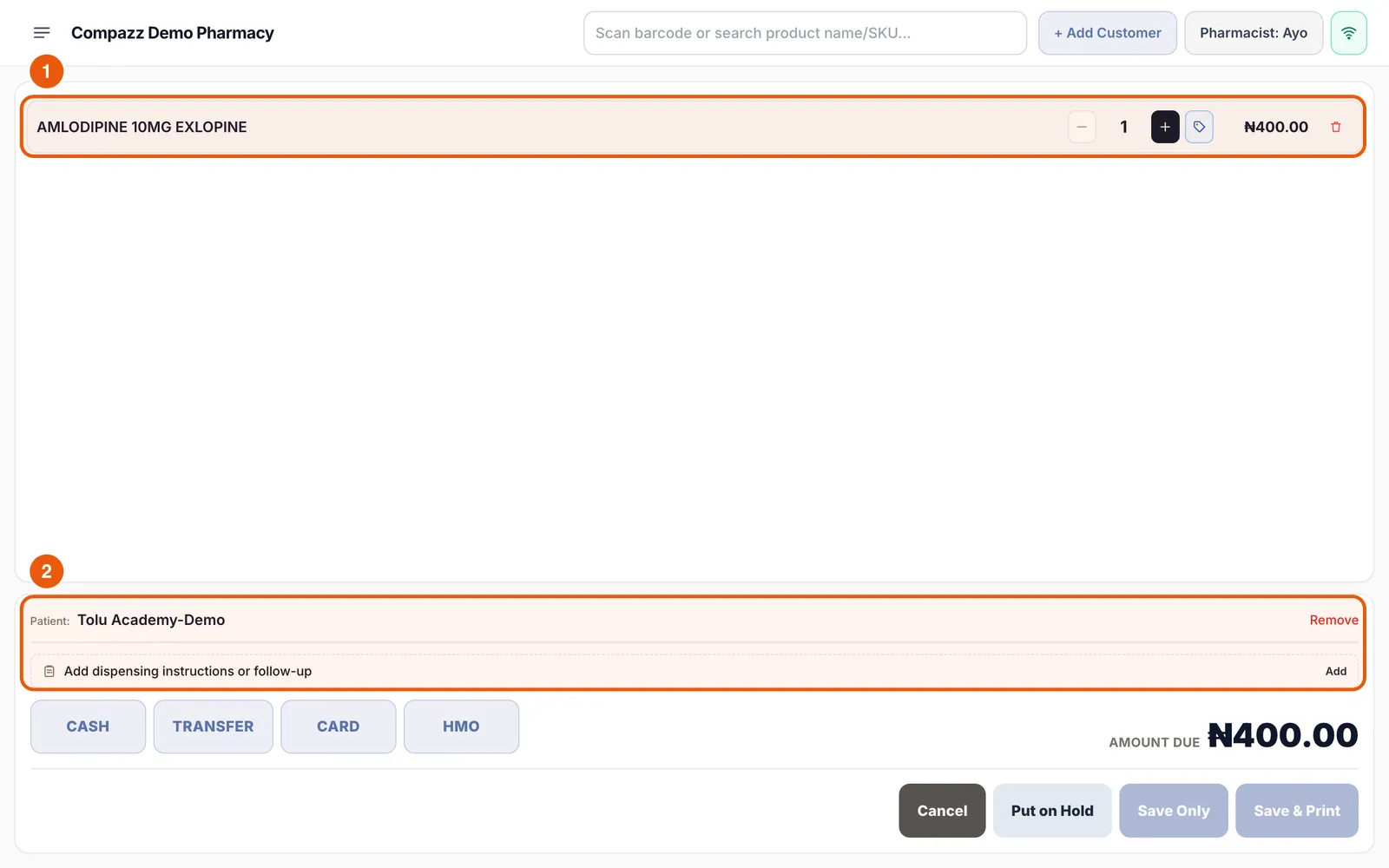
- 1Tap Open in Register. The patient’s name appears above the payment buttons.
- 2Add the medicine as normal.
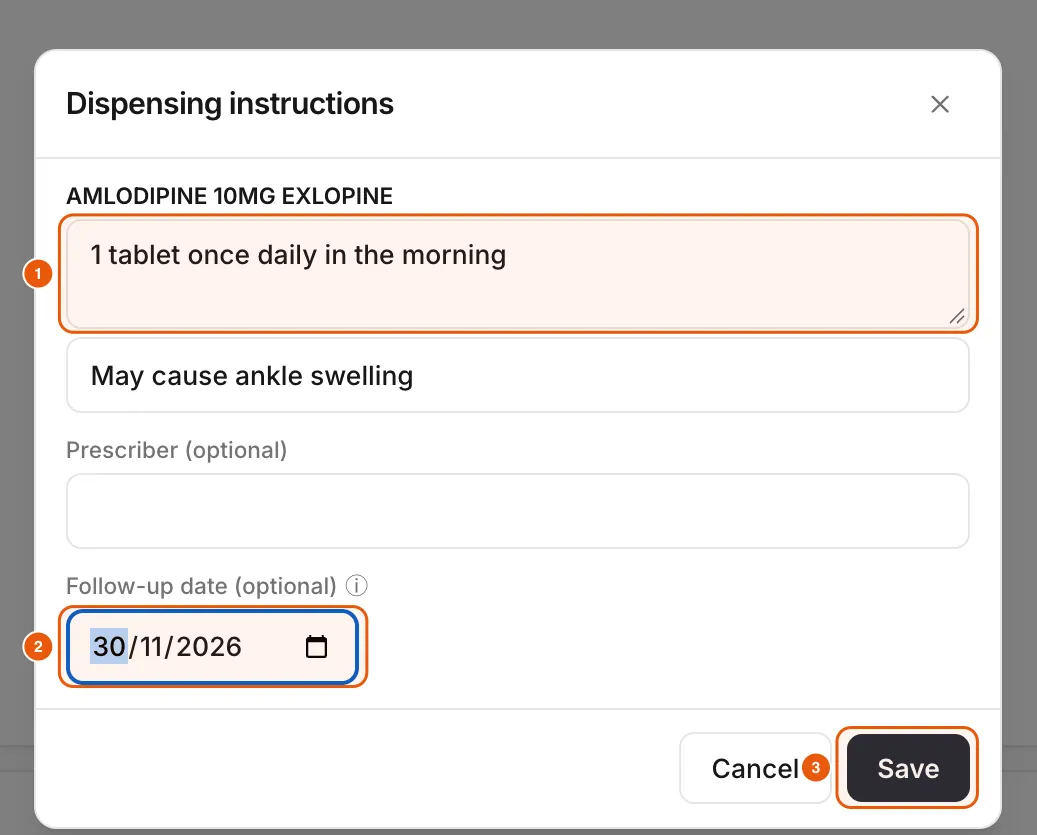
- 3Tap Add dispensing instructions or follow-up and enter directions (for example “1 tablet once daily in the morning”), cautions, prescriber and a follow-up date.
- 4Take payment and save the sale.
Print the medicine label
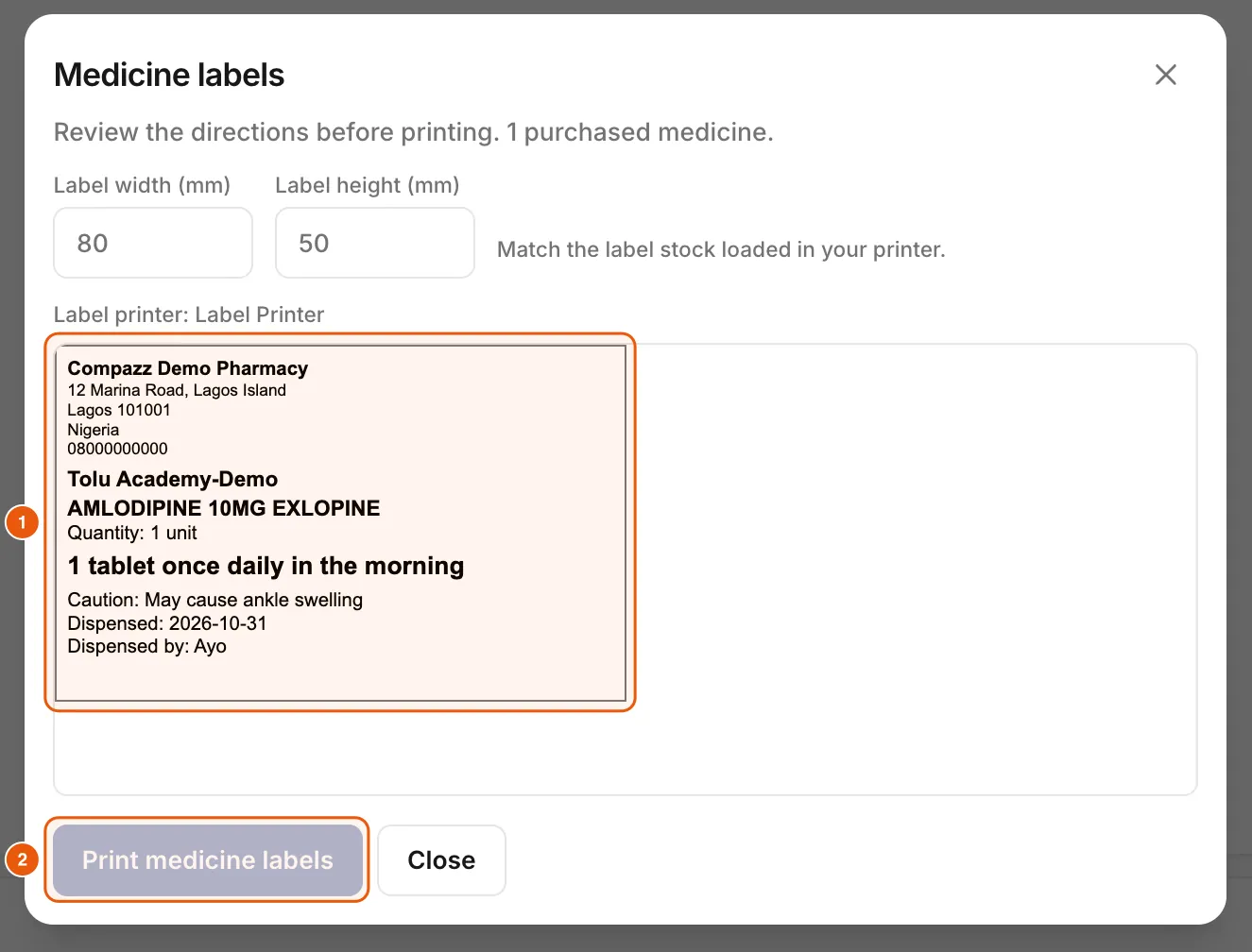
After saving, Compazz shows the medicine labels with your pharmacy details, patient name, medicine, quantity, directions, caution, date and the pharmacist. Match the label size to your printer stock and tap Print medicine labels.
Follow up refills
The Refills Due list shows patients whose follow-up dates have passed, with the medicine and how overdue they are. Tap WhatsApp to message them or Open Record. Tick “In-app follow-up alerts on this device” to be reminded while Compazz is open.
Frequently asked questions
Who can see patient records?
Only staff types with the Pharmacy Patients tab, by default pharmacists and owners. Change this in Staff & Security permissions.
Can I bill an HMO?
Yes. Save the patient’s insurance details and use Insured Dispense, or take the HMO payment type at the Register.
Ready to do this in your own shop?
Start free and follow this guide step by step, or book a call and we’ll set it up with you.
Keep learning