How to ring up a sale in Compazz POS: discounts, split payments and held receipts
Everything a cashier needs at the counter: finding products fast, quantities, line discounts, customers, cash change, split cash and transfer payments, holding a basket and printing receipts.
Why it matters
Faster queues, fewer mistakes, and every naira in the right column.
Shorter queues
Search by any part of a name or scan a barcode. No hunting through categories while customers wait.
Discounts with a trail
Line discounts are recorded against the cashier and show up in End of Day, so generosity never becomes leakage.
Payments that reconcile
Split cash and transfer payments are saved separately, so your drawer and bank alerts both add up at close.
What you’ll be able to do
- Find and add products by scan or search
- Change quantities and give line discounts
- Take exact cash, change and split payments
- Hold a basket and bring it back
- Save with or without printing
Add products to the cart
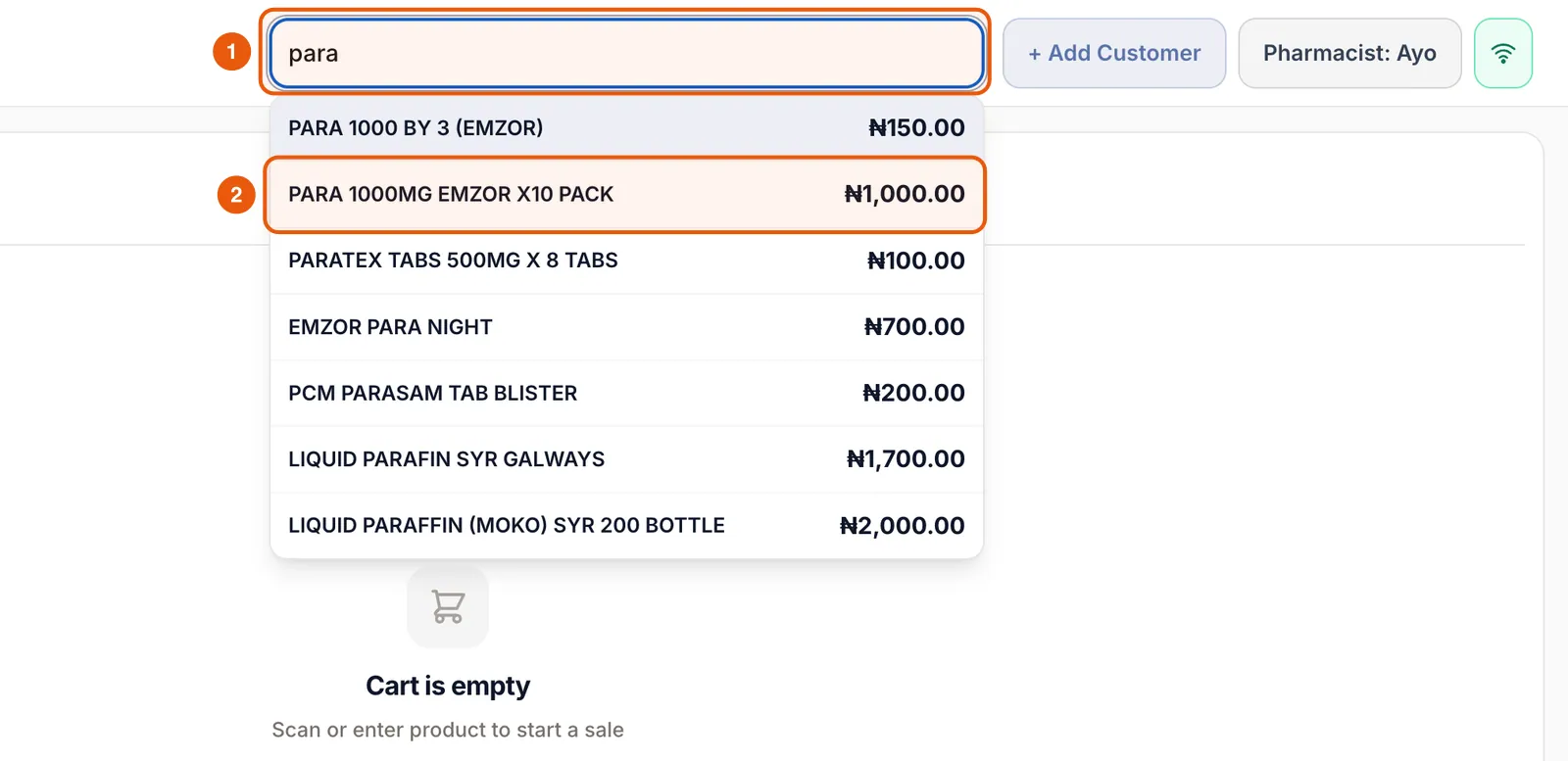
The search bar at the top of Register is always ready for your scanner. Scan a barcode and the product drops straight into the cart, or type any part of the name or SKU.
- 1Scan the barcode, or click the search bar and type a few letters (for example “para”).
- 2Tap the right product in the list. It appears in the cart with quantity 1.
- 3Scan the same product again to add another, or use the + button.
Change quantities and give a discount
Each cart line has − and + buttons, a tap-to-edit quantity, a price tag for discounts and a bin to remove the line.
- 1Tap + or − to change quantity, or tap the number to type it.
- 2Tap the blue price-tag icon to open the discount box for that line.
- 3Enter the discount per unit (for example 100). The line total updates and the discount shows in green.

Attach a customer (optional)
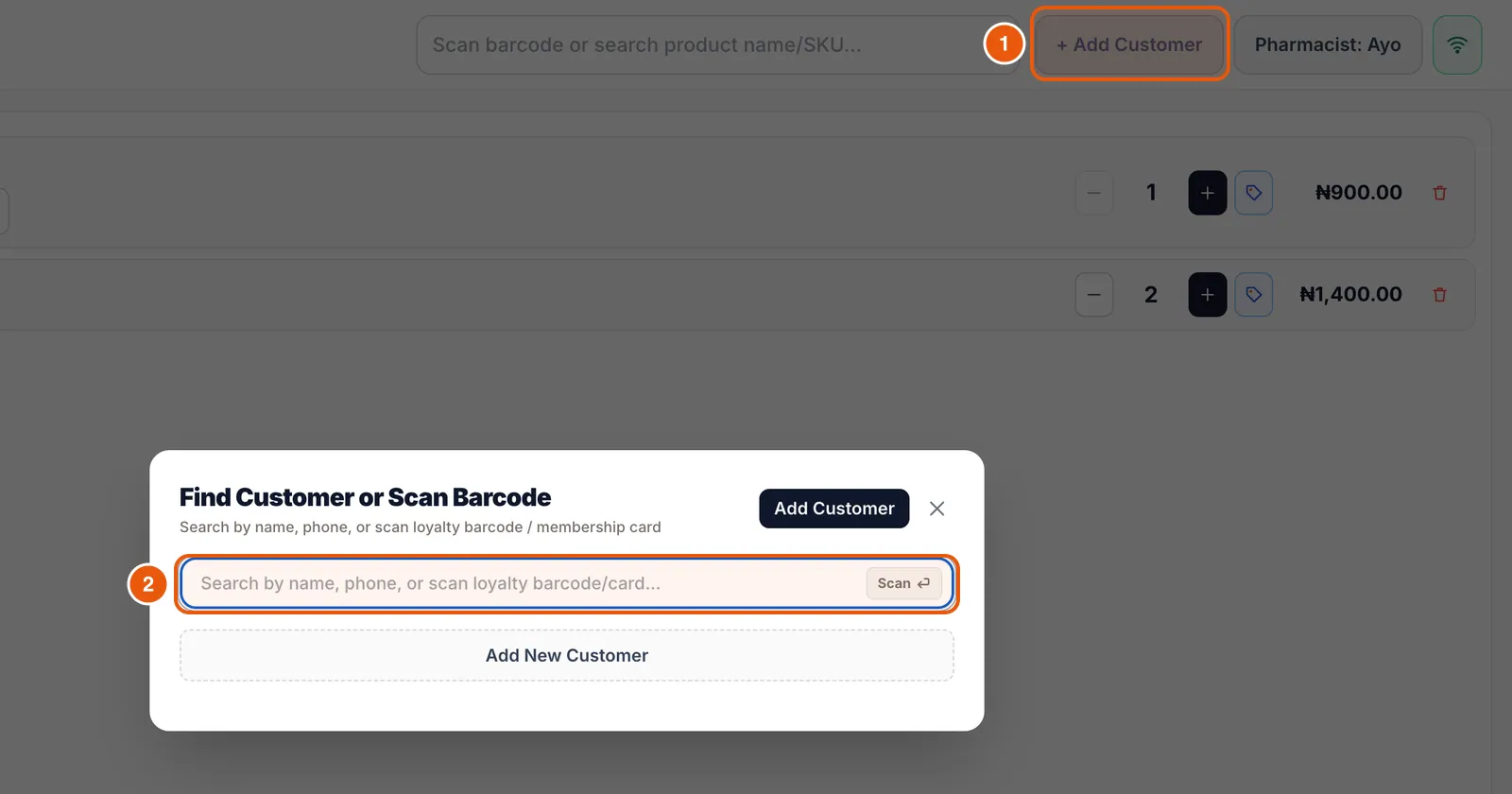
Tap + Add Customer to search by name or phone, scan a loyalty card, or create a new customer. Attaching customers builds purchase history and loyalty points.
Take a cash payment
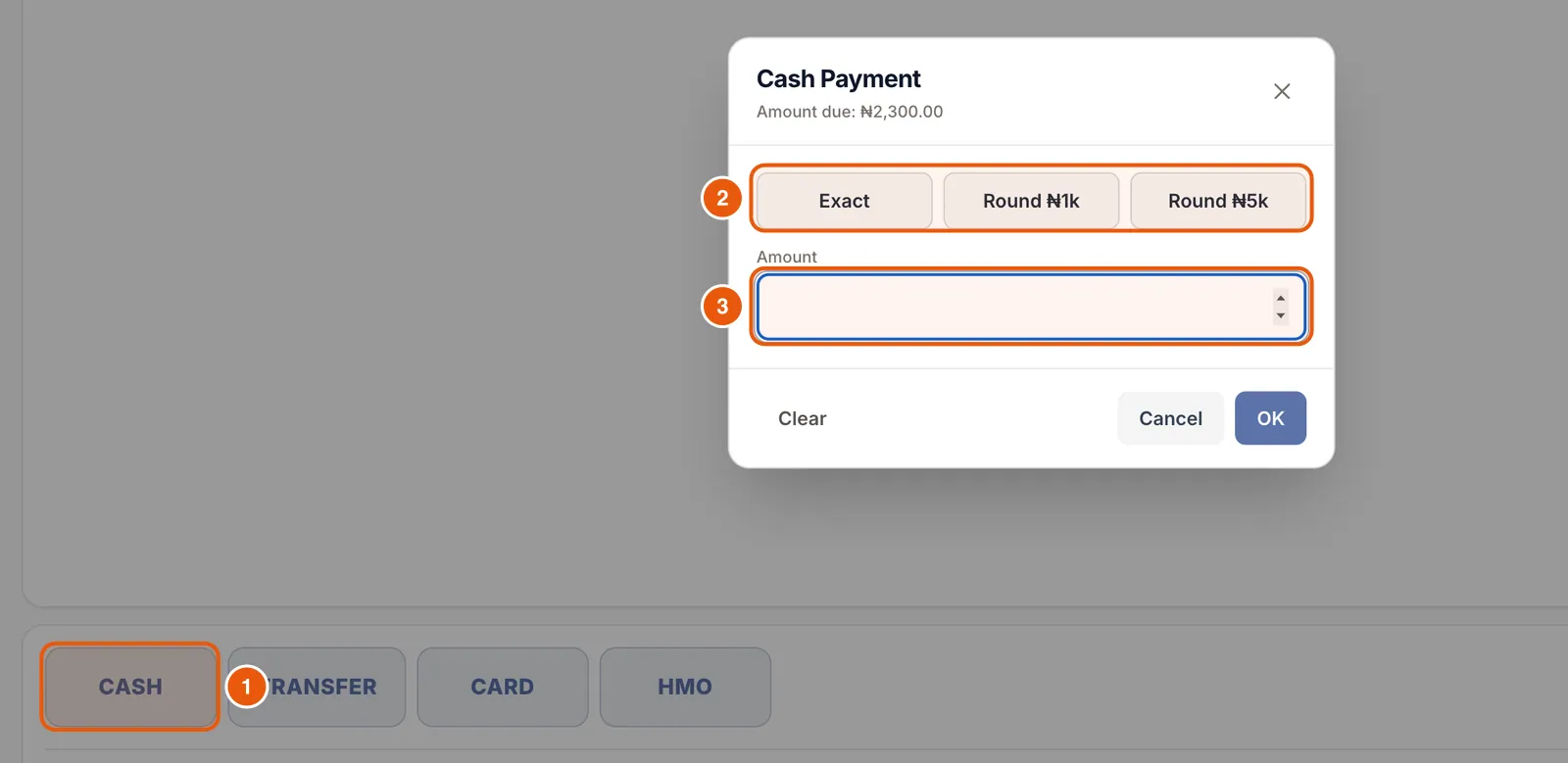
Tap CASH. Use Exact for the exact amount, Round ₦1k or Round ₦5k for common notes, or type what the customer handed you. Compazz works out the change.
Split a payment between cash and transfer
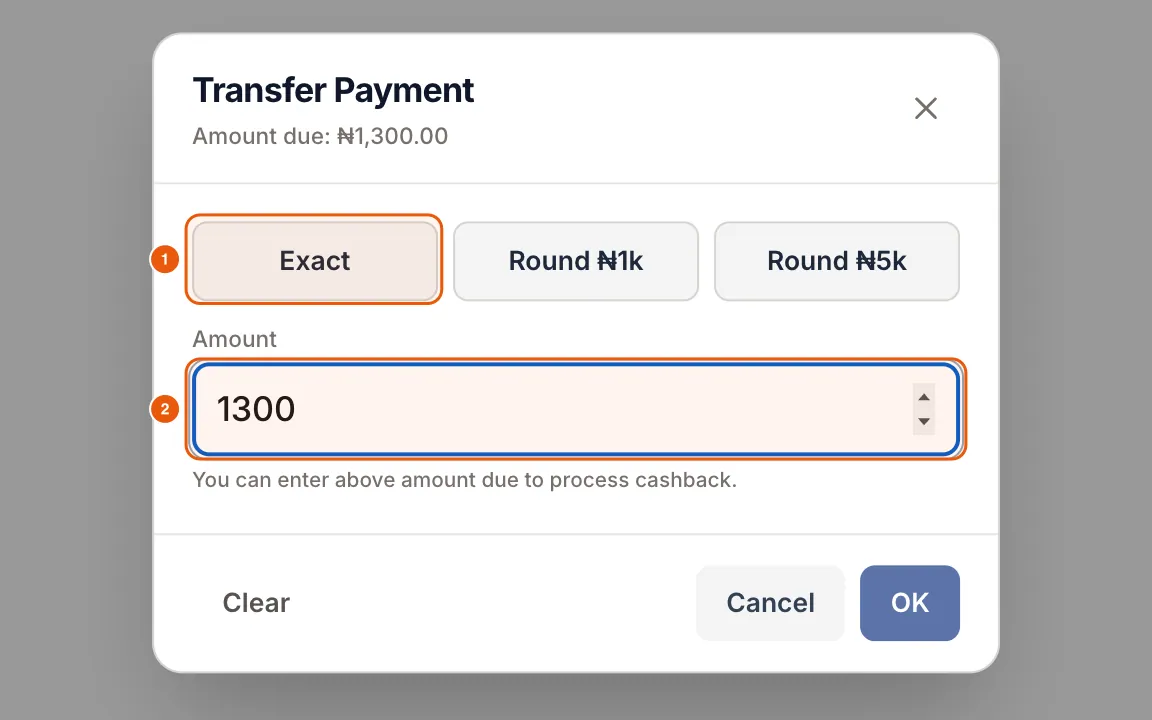
Customer has ₦1,000 cash and will transfer the rest? Enter ₦1,000 under CASH, then tap TRANSFER and use Exact for the remainder. The line under the buttons tracks what is paid and what remains.


Hold a basket and bring it back
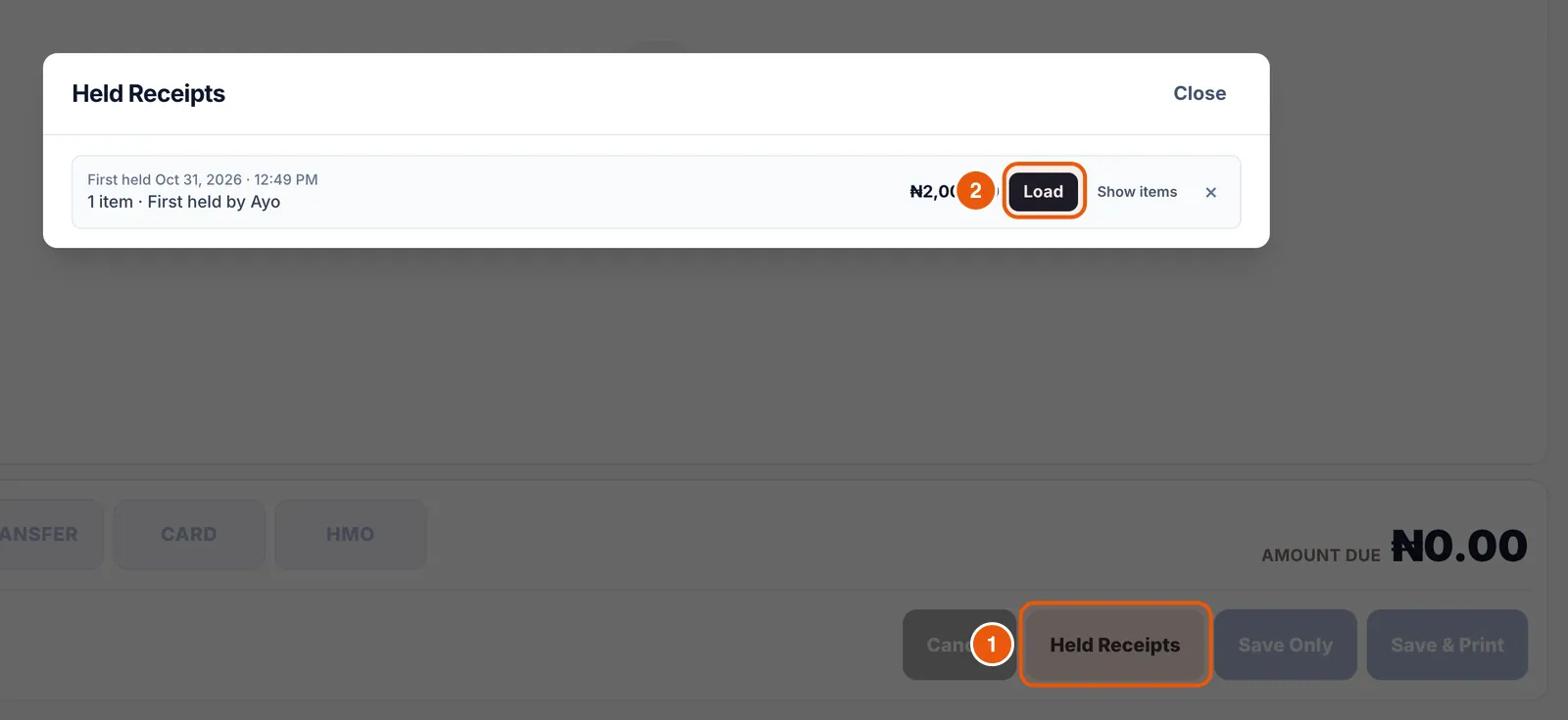
Customer forgot their wallet in the car? Tap Put on Hold. The cart clears so you can serve the next person, and the button changes to Held Receipts.
- 1Tap Put on Hold. The basket is saved with the time and the cashier’s name.
- 2When the customer returns, tap Held Receipts and then Load next to their basket.

Save the sale
Tap Save Only to finish without paper (the receipt is still saved and can be reprinted) or Save & Print to print on your receipt printer. The cart clears for the next customer.
Frequently asked questions
What is the HMO button for?
Pharmacies can bill part or all of a sale to a health insurer (HMO). It is recorded as its own payment type and shows separately in End of Day.
Can I reprint a receipt later?
Yes. Open Transactions, tap the sale and choose Reprint Receipt.
Does the POS work with my barcode scanner?
Any USB or Bluetooth scanner that types like a keyboard works. Point it at the Register search bar.
Ready to do this in your own shop?
Start free and follow this guide step by step, or book a call and we’ll set it up with you.
Keep learning