How to set up Compazz POS and make your first sale
Go from a fresh account to a real, receipted sale: staff PINs, your product list, a test sale and your first end-of-day close, with screenshots of every screen.
Why it matters
A clean setup on day one saves you weeks of fixing numbers later.
Every sale has a name on it
Each staff member signs in with their own PIN, so every receipt, discount and refund is traceable to a person.
Stock you can trust
Every sale takes stock off automatically, so your shelf count and Compazz stay in step from the first transaction.
A close you can prove
End of Day compares what you sold with the cash in the drawer, so shortages surface the same evening, not at month end.
What you’ll be able to do
- Create staff profiles with their own PINs and roles
- Get your product list into Compazz (manually or from a spreadsheet)
- Ring up a test sale with a discount and a split payment
- Check the receipt and close your first day
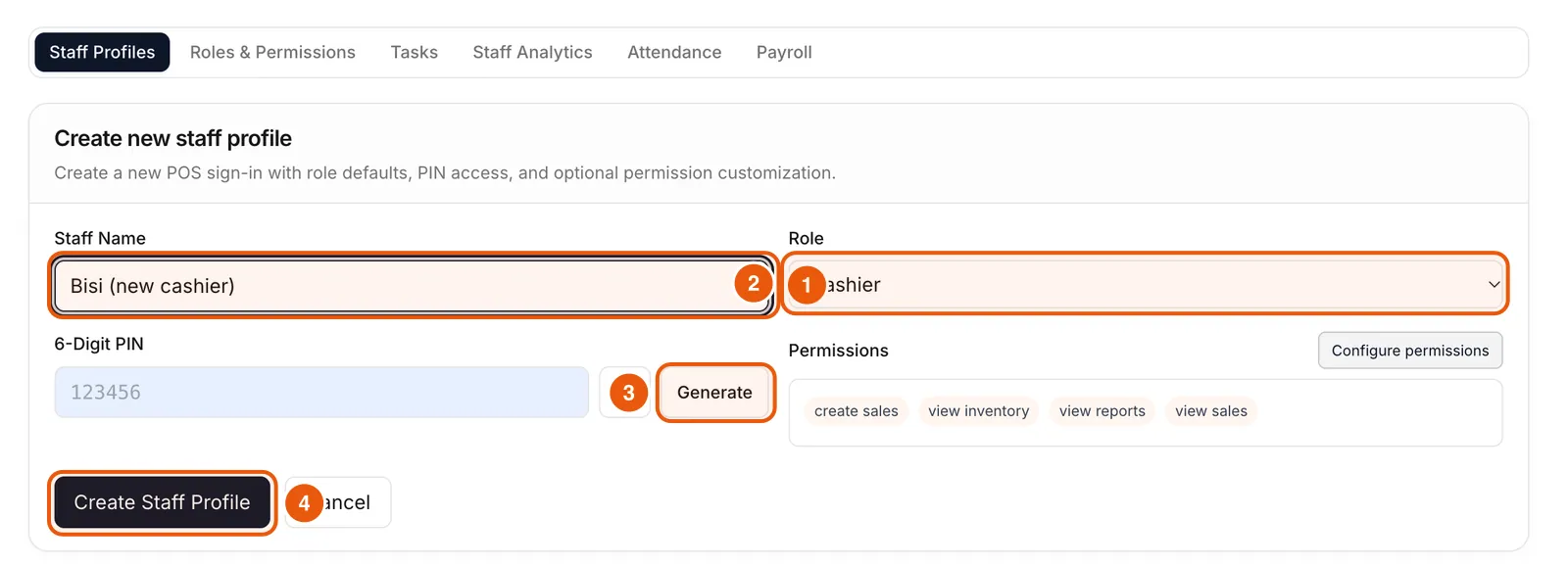
Create a profile and PIN for each staff member
Staff are managed from the Compazz dashboard and appear on every POS terminal automatically. Give everyone their own profile: never share the owner login at the counter.
- 1In the dashboard, open Staff Management and click Add Staff.
- 2Type the staff name and choose a role: Cashier, Manager, Waiter, Inventory Staff or Pharmacist.
- 3Click Generate to create a 6-digit PIN (or type one) and share it privately with that person.
- 4Leave the role’s default permissions, or use Configure permissions to fine-tune them, then click Create Staff Profile.
Open the POS and sign in with a PIN
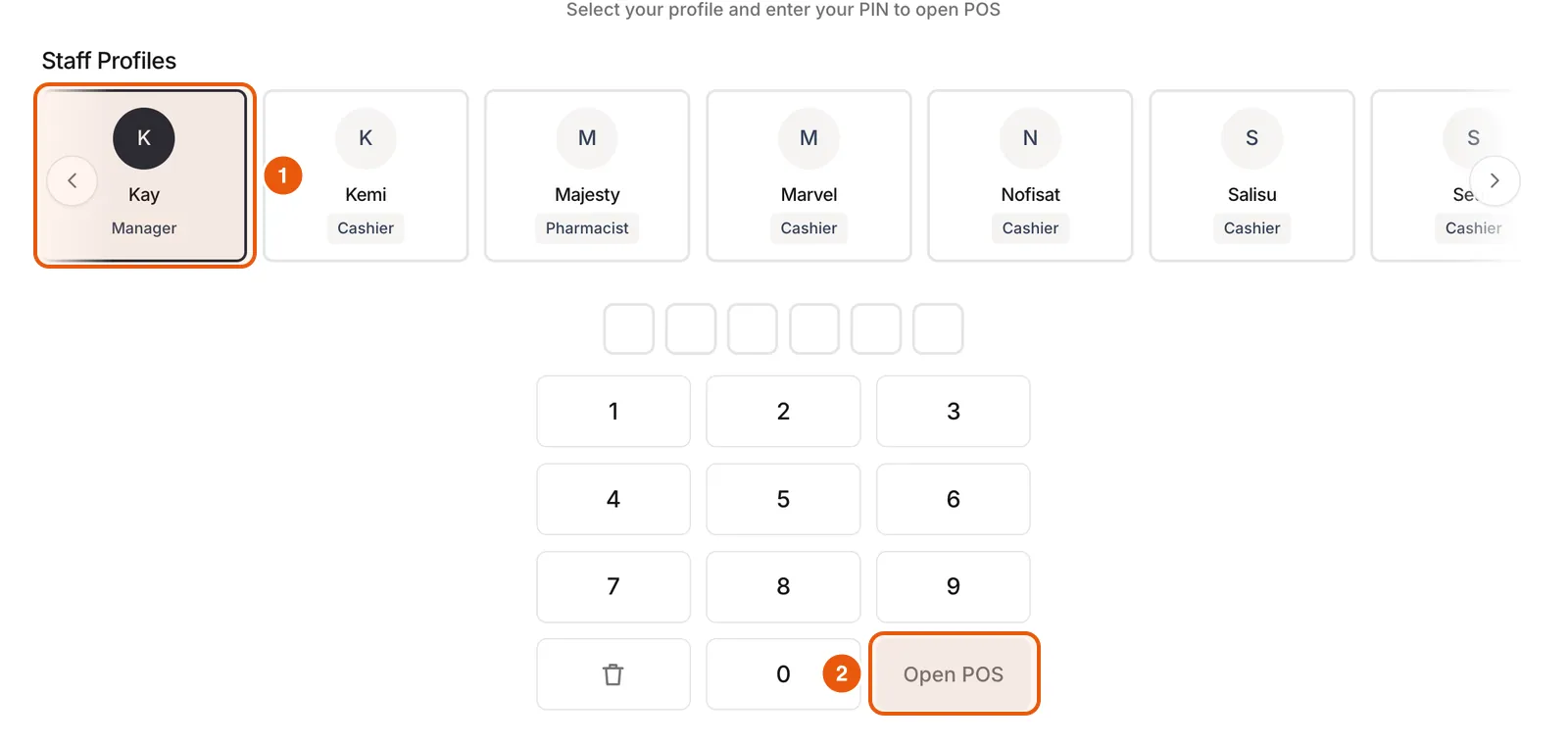
Install Compazz POS on your counter computer, tablet or phone and sign in with the business account once. After that, staff only need their PIN.
- 1Open Compazz POS. You will see the staff profiles for your outlet.
- 2Tap your profile, enter your PIN on the keypad and tap Open POS.
- 3To hand over to a colleague, open the menu (☰) and choose Sign out. The POS returns to this screen.
Add your products
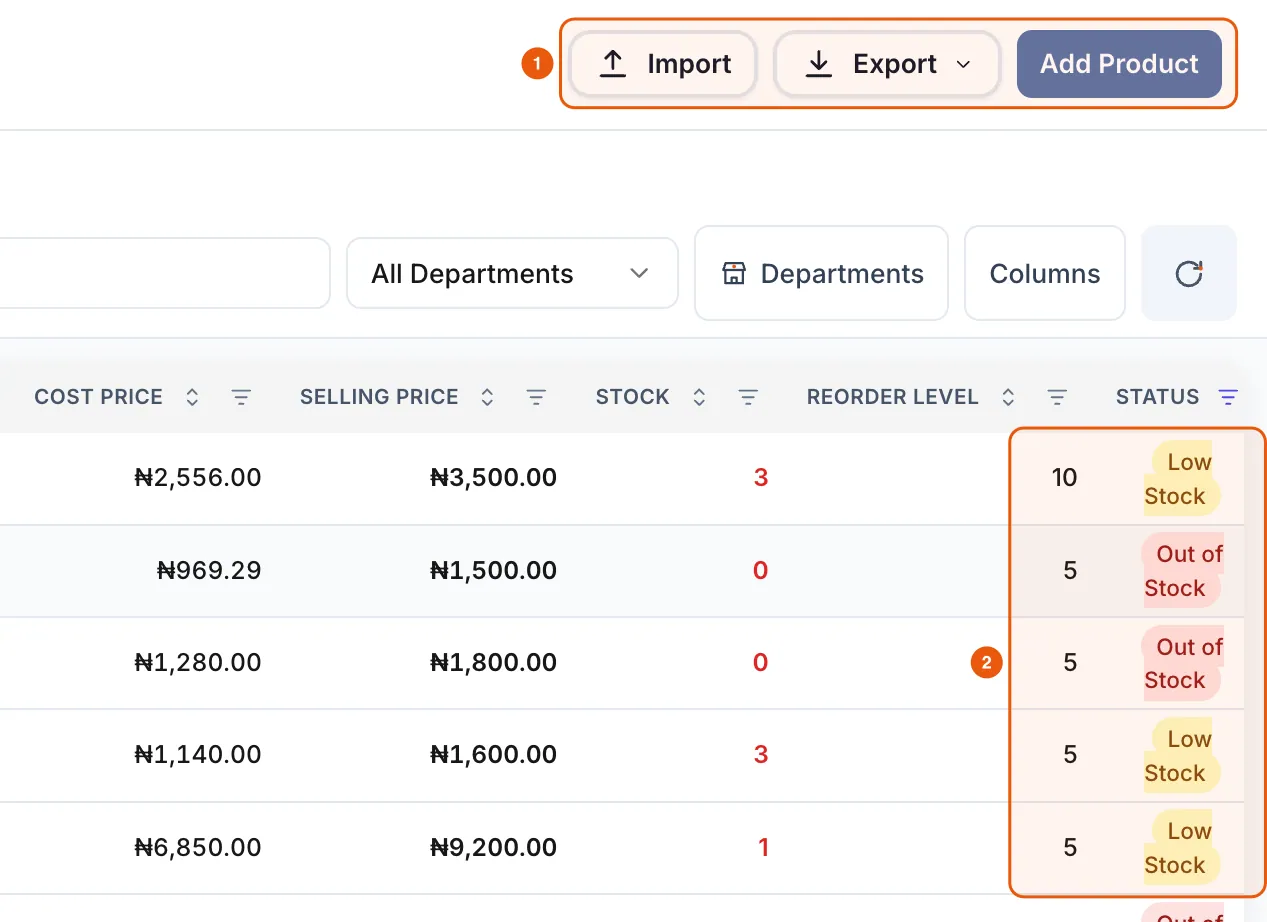
You do not need your full catalogue to start. Add your 20 fastest movers first, then import the rest. The Items tab shows every product with its price, stock, reorder level and status.
- 1In the POS, open the menu and choose Items.
- 2Click Add Product to add one item in the green row at the top, or click Import to bring in a spreadsheet.
- 3Make sure each item has a selling price, opening stock and, ideally, its barcode.
Ring up a test sale
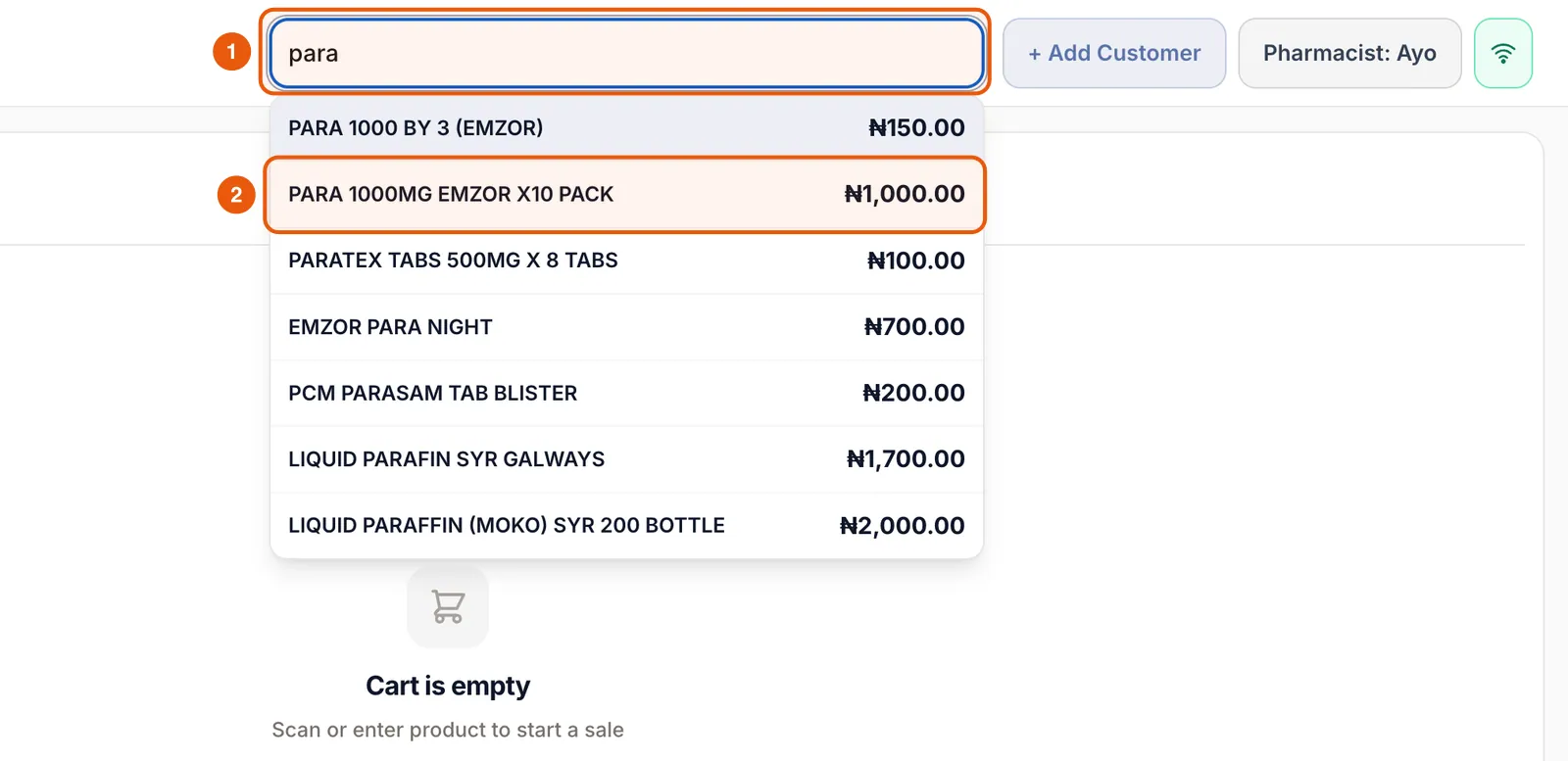
Use a real basket of two or three products so you can check prices, discounts, payments and stock in one go.
- 1Go to Register. Scan a barcode or type part of a product name in the search bar, then tap the product.
- 2Use + and − to change quantities. Tap the price tag icon to give a discount on that line.
- 3Tap CASH, TRANSFER, CARD or HMO, enter the amount and tap OK. You can combine methods for a split payment.
- 4When Amount Due shows ₦0.00, tap Save Only (no paper) or Save & Print.

Check the receipt and the stock
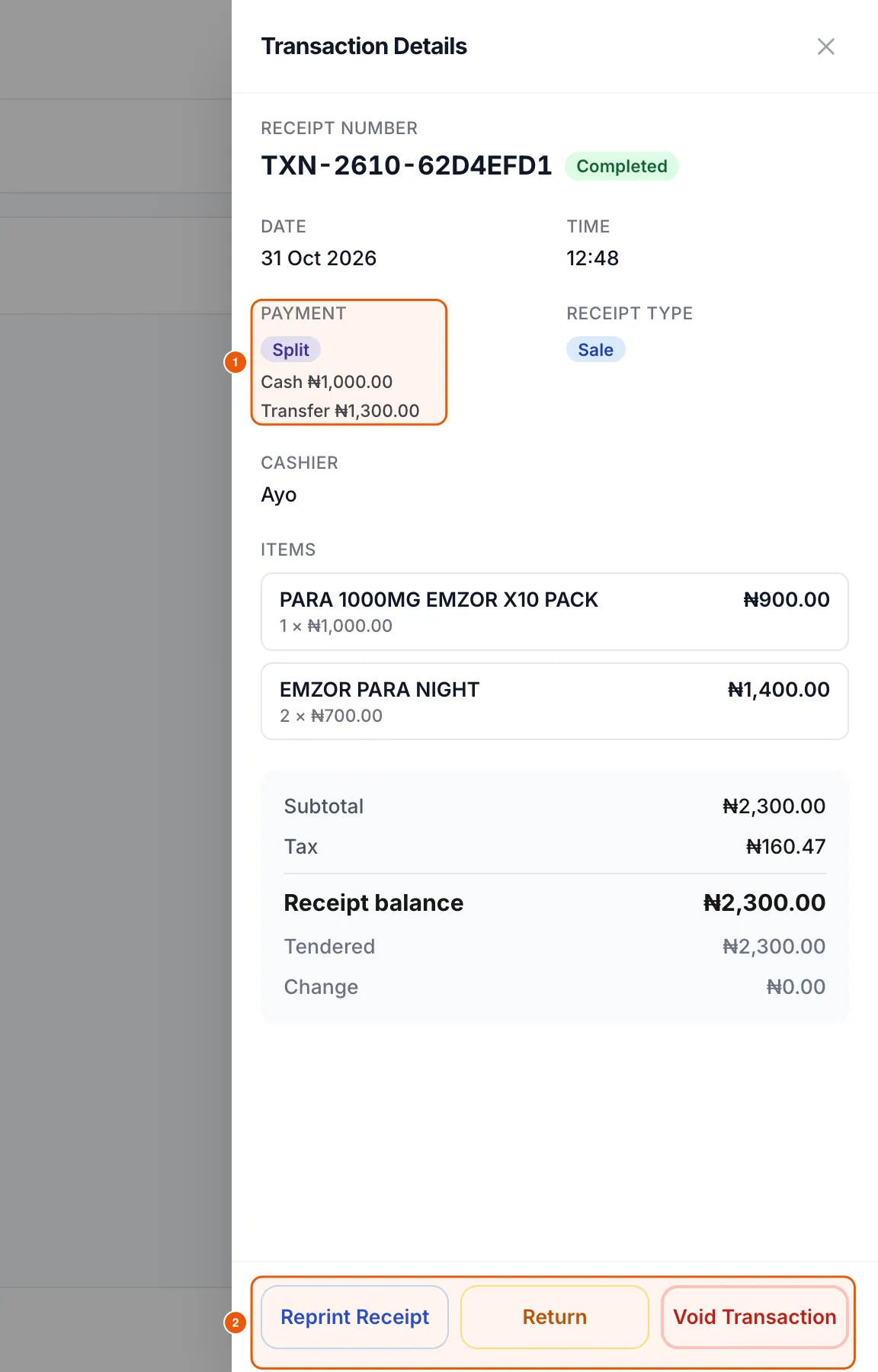
Open Transactions and tap your sale. You should see the cashier, the payment split, every line and the tax. Then open Items and confirm the quantities dropped.
Close your first day
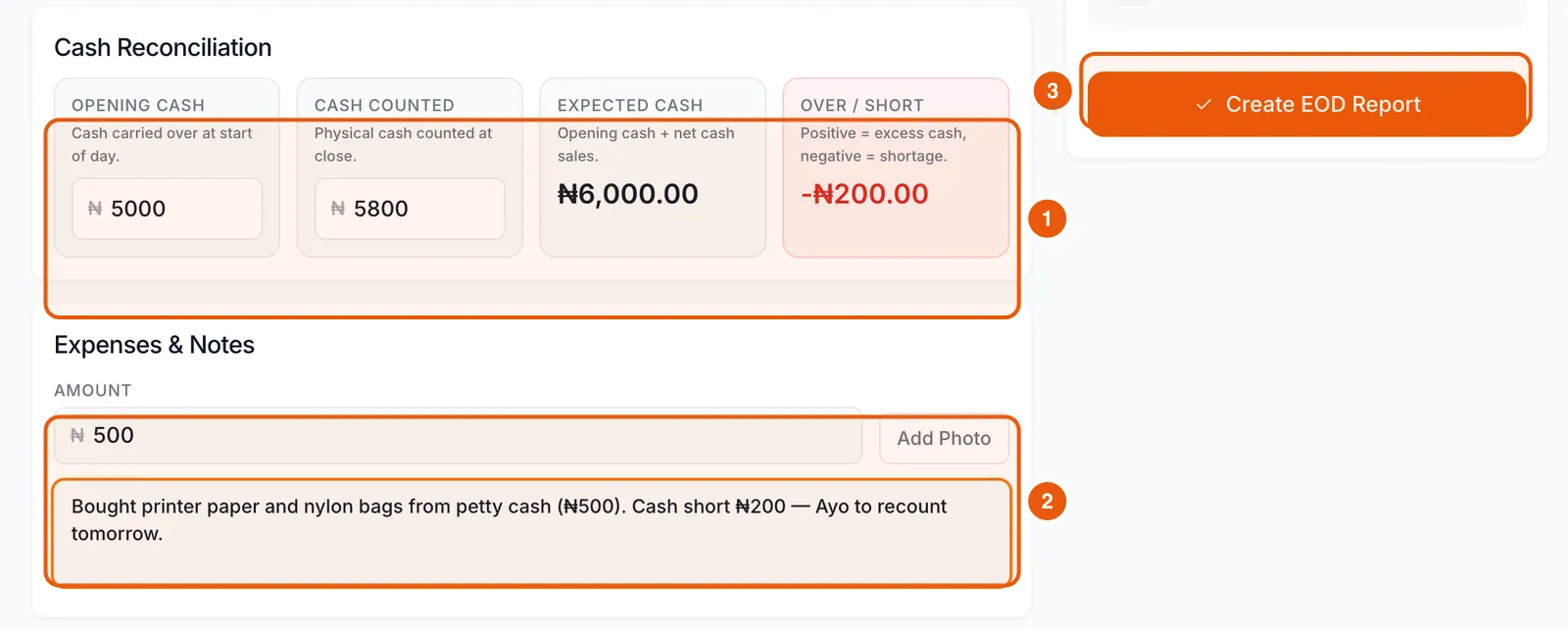
At closing time, open End of Day, enter your opening float and the cash you counted, add any expenses and tap Create EOD Report. You now have a clean baseline for tomorrow.
Compazz tip
Finish one outlet end to end before copying the setup to other branches.
Frequently asked questions
Do I need internet to use Compazz POS?
Compazz POS keeps working through short internet outages and syncs when the connection returns. Sign-in and the first product download need a connection.
Can I run Compazz on a phone or tablet?
Yes. Compazz POS runs on Windows, Mac and Android, and the dashboard works in any modern browser.
How long does setup take?
Most single-outlet shops are selling within an afternoon: about 15 minutes for staff, and the rest depends on how clean your product spreadsheet is.
Ready to do this in your own shop?
Start free and follow this guide step by step, or book a call and we’ll set it up with you.
Keep learning