How to track expiry dates and cut expired-stock losses
See every product expiring in the next 30 days, mark it down before it is too late, write off what cannot be sold and record expiry dates as stock arrives.
Why it matters
Expired stock is cash you already spent, sitting on a shelf.
Act weeks earlier
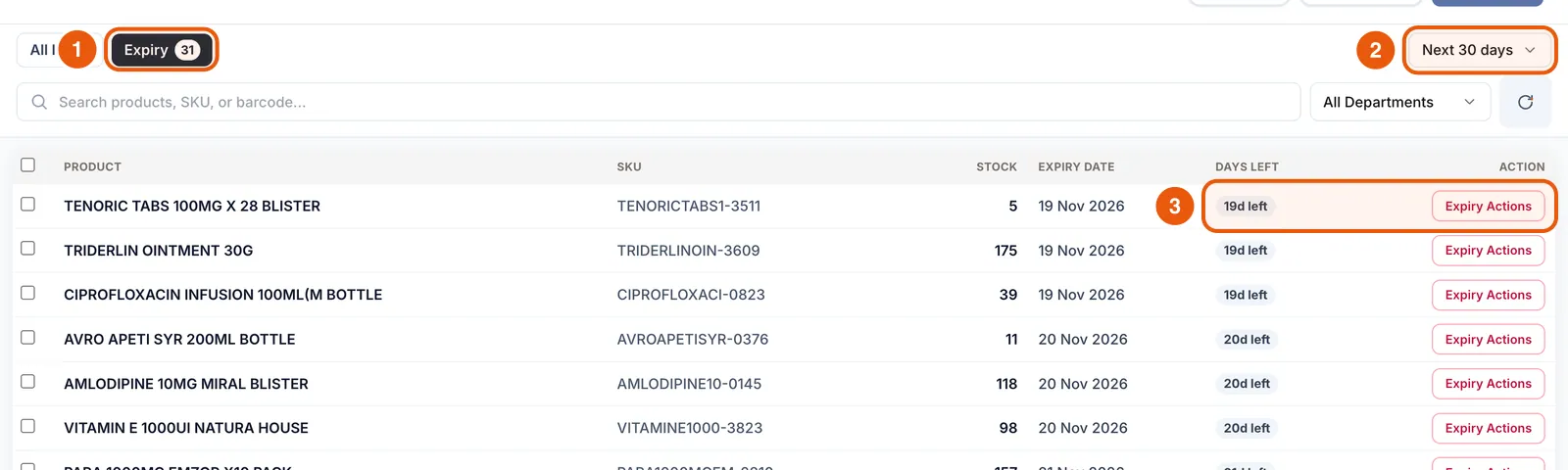
The Expiry view shows what expires in the next 30 days, sorted by days left.
Sell it, don’t bin it
Mark near-expiry items down in two taps and print a promo label showing old and new price.
Honest numbers
Write-offs reduce stock immediately with a reason, so losses show up in reports instead of hiding in the count.
What you’ll be able to do
- Find stock expiring soon
- Apply an expiry markdown
- Record expired or damaged stock as waste
- Capture expiry dates when receiving
Open the Expiry view
In Items, tap Expiry. The badge shows how many items expire soon. The list shows each product’s stock, expiry date and days left, earliest first.
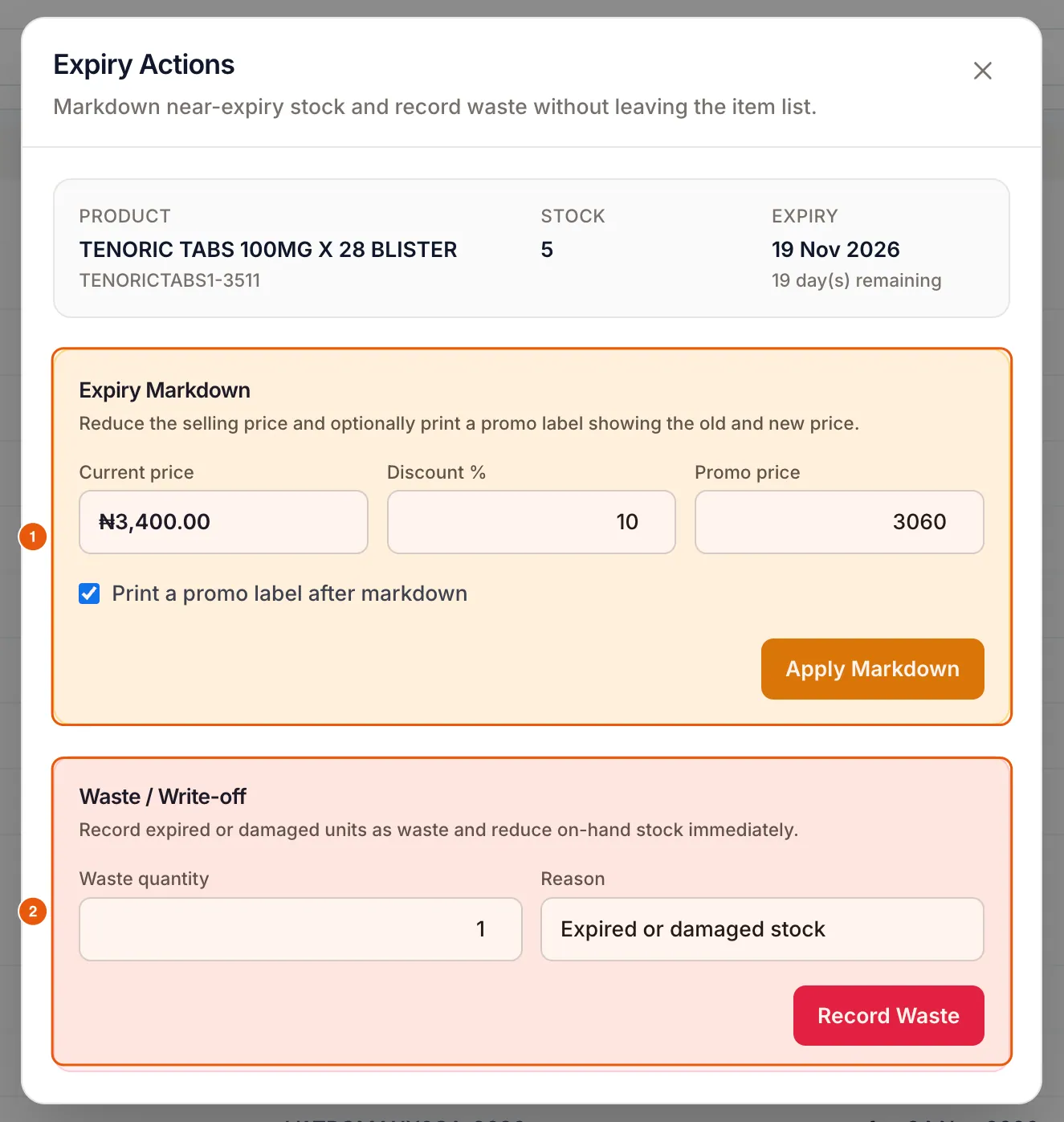
Mark it down
The new price applies at the Register immediately.
- 1Tap Expiry Actions next to the product.
- 2Under Expiry Markdown, enter a Discount % (or a promo price).
- 3Keep “Print a promo label after markdown” ticked to label the shelf, then tap Apply Markdown.
Write off what cannot be sold
In the same dialog, enter the Waste quantity and a Reason, then tap Record Waste. Stock drops straight away and the movement appears in the item’s history.
Capture expiry dates as stock arrives
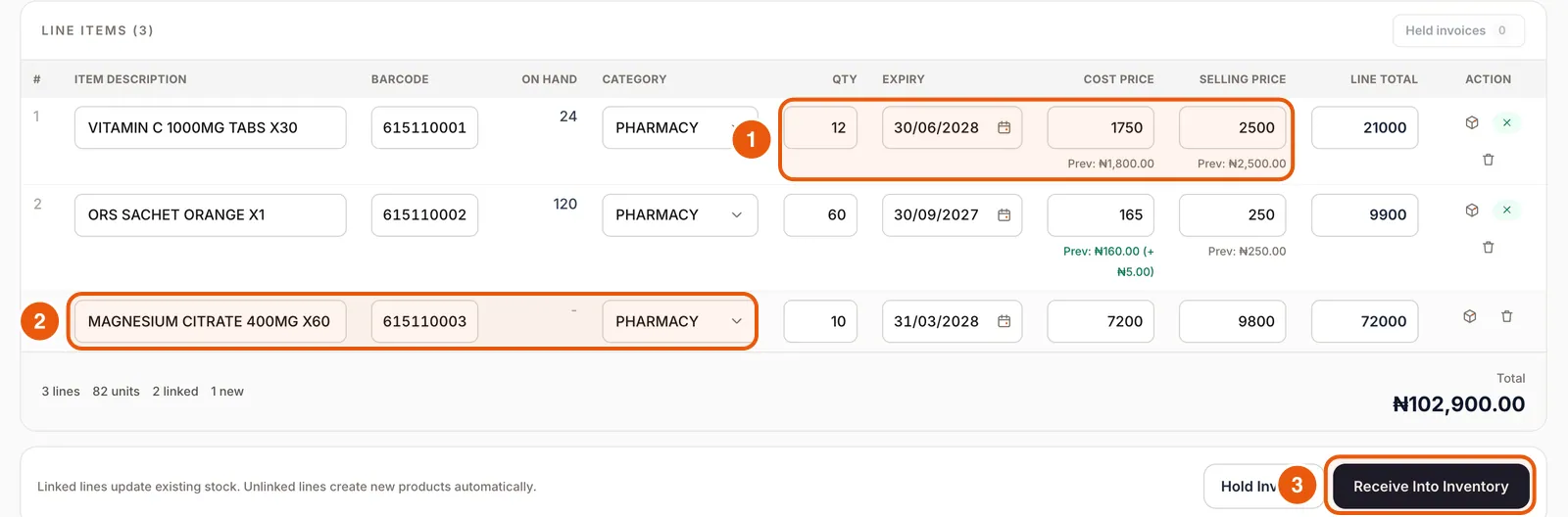
Expiry tracking is only as good as the dates you enter. Receive Items has an Expiry column on every line, so add the date while the box is in your hand. You can also set it from Packaging and expiry on any item.
Frequently asked questions
How far ahead does the Expiry view look?
It defaults to the next 30 days. Use the filter at the top right to change the window.
Can I track expiry for supermarkets too?
Yes. Any product can have an expiry date: dairy, bread, drinks, cosmetics and medicines.
Ready to do this in your own shop?
Start free and follow this guide step by step, or book a call and we’ll set it up with you.
Keep learning