How to add products and import your inventory into Compazz
Add products one by one in the Items table or import thousands from Excel, CSV, QuickBooks, Square or Shopify, then set packs, expiry dates and reorder levels.
Why it matters
Your catalogue is the foundation every report sits on.
Live in an afternoon
Import your existing list instead of typing thousands of products by hand.
Real margins
Cost and selling price on every item means profit reports you can actually use.
Fewer stockouts
Reorder levels flag Low Stock before the shelf is empty, and feed Purchasing suggestions.
What you’ll be able to do
- Add a product with barcode, department, prices and stock
- Set pack sizes and expiry dates
- Import a spreadsheet safely
- Edit products and read their stock history
Open the Items tab
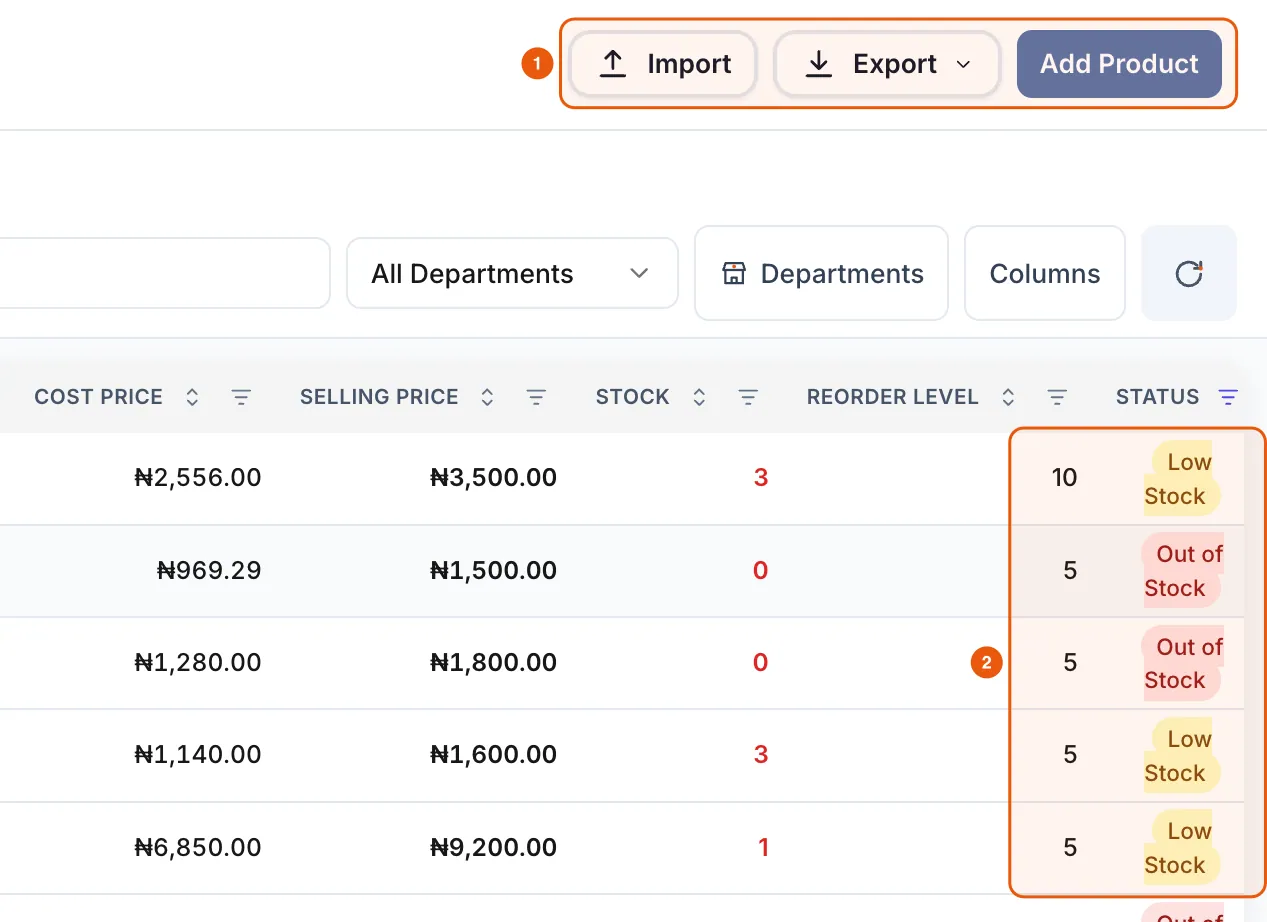
Items lists every product with SKU, barcode, department, cost price, selling price, stock, reorder level and status. Use the search box, the department filter and Columns to focus on what matters.
Add a single product
Use one naming pattern, such as brand + product + size + pack, so cashiers can find items quickly.
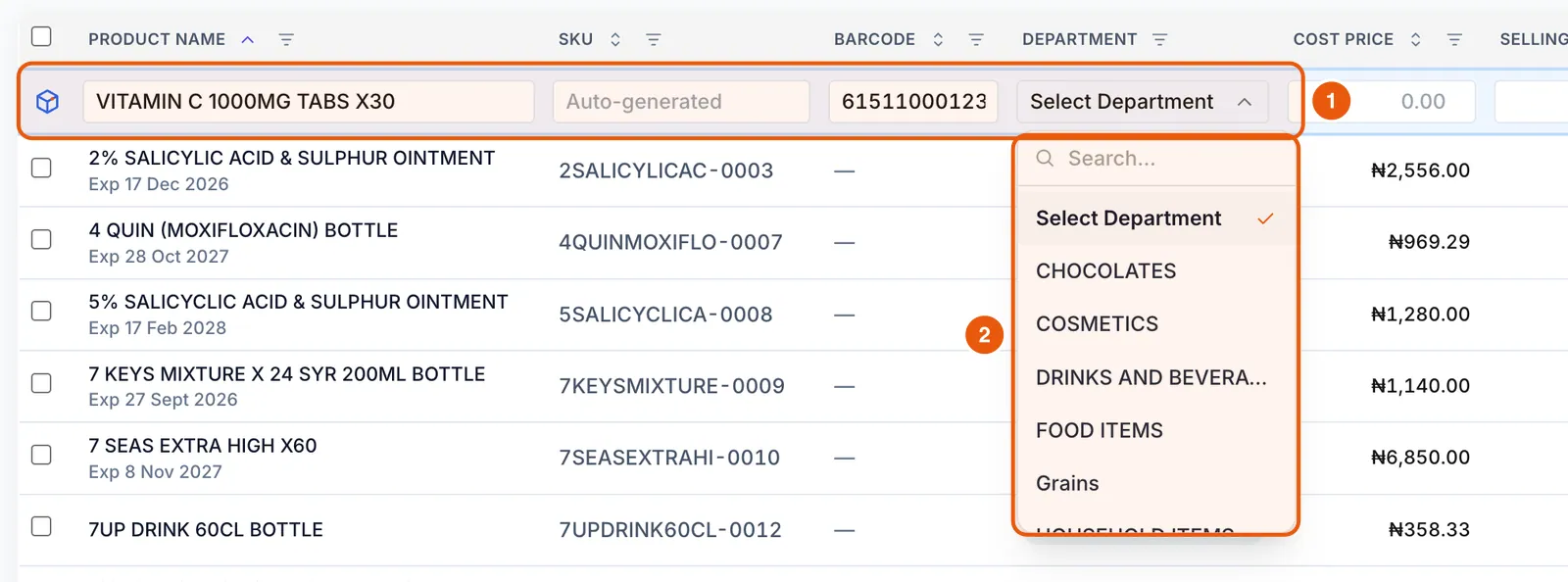
- 1Click Add Product. A blue row appears at the top of the table.
- 2Type the product name. Leave SKU blank and Compazz generates one.
- 3Scan or type the barcode, then choose the department from Select Department.
- 4Enter the cost price, selling price, opening stock and reorder level.

Set pack sales and expiry (optional)
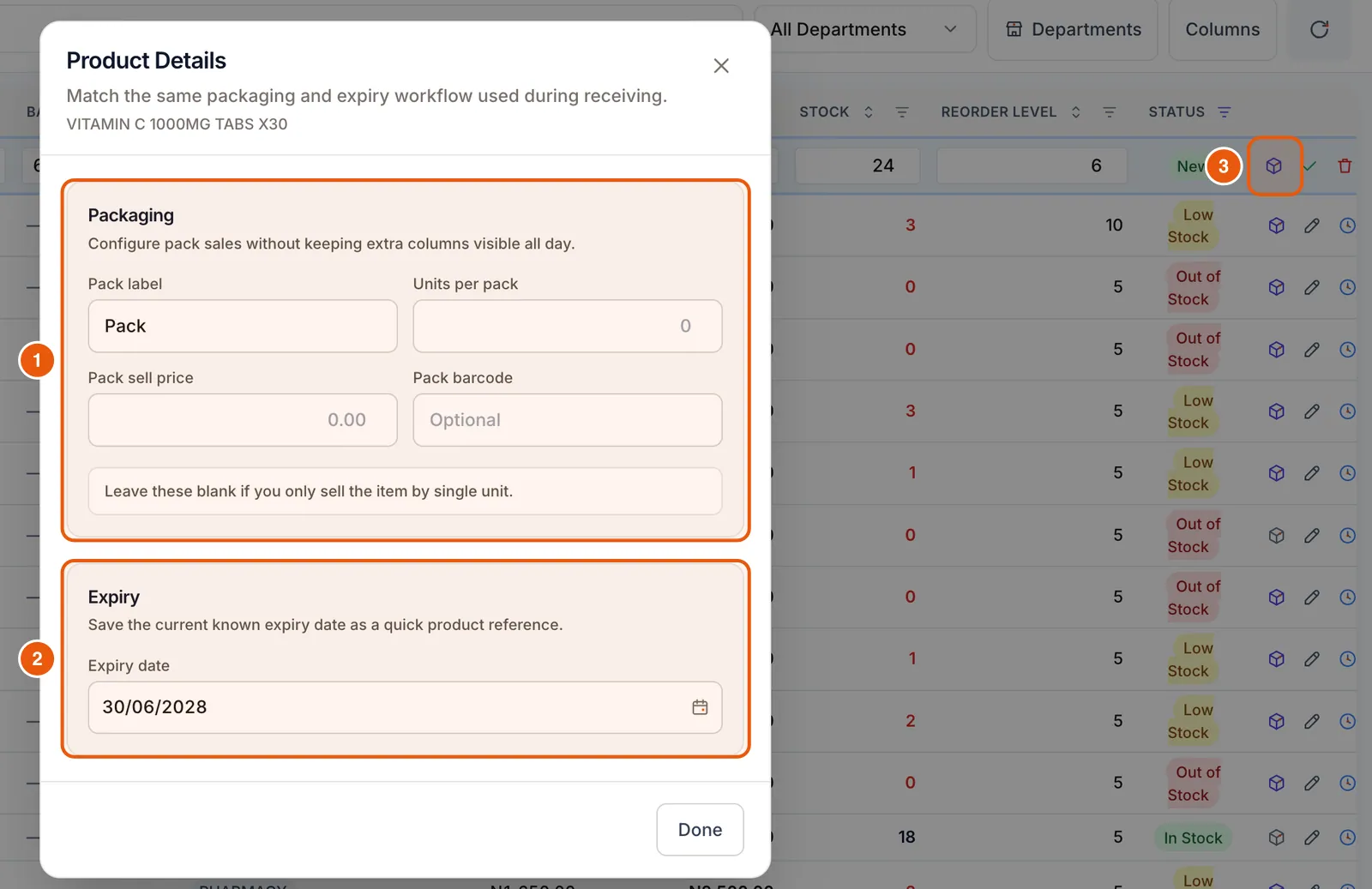
Sell by the strip and by the box? Tap the box icon on the row to open Product Details. Set the pack label, units per pack, pack price and pack barcode, plus the current expiry date.
Save the row
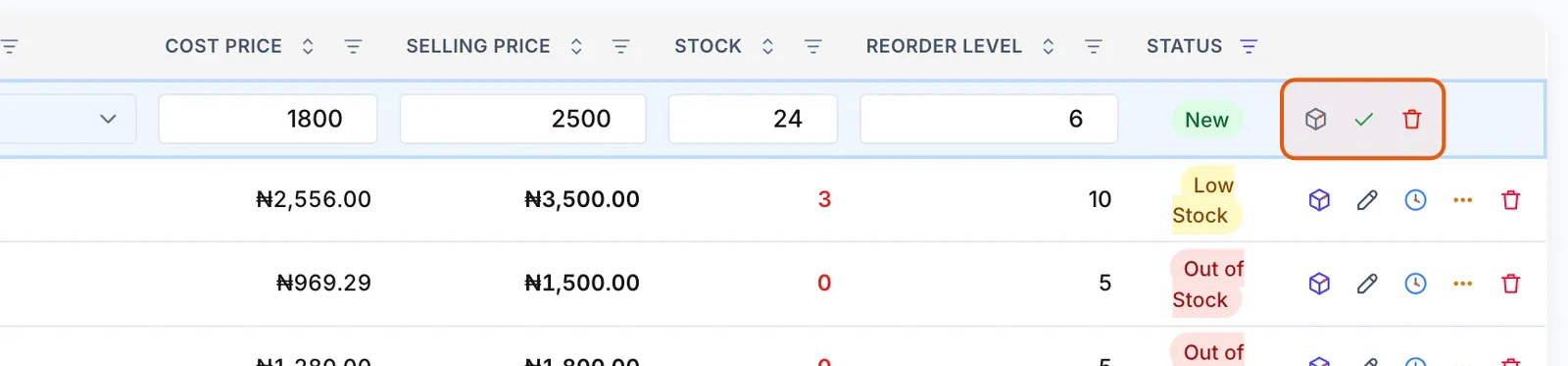
Scroll the table to the far right and click the ✓ (Save) icon on the blue row. The bin icon cancels. On smaller screens the save button can be off-screen, so scroll sideways.
Edit a product and check its history
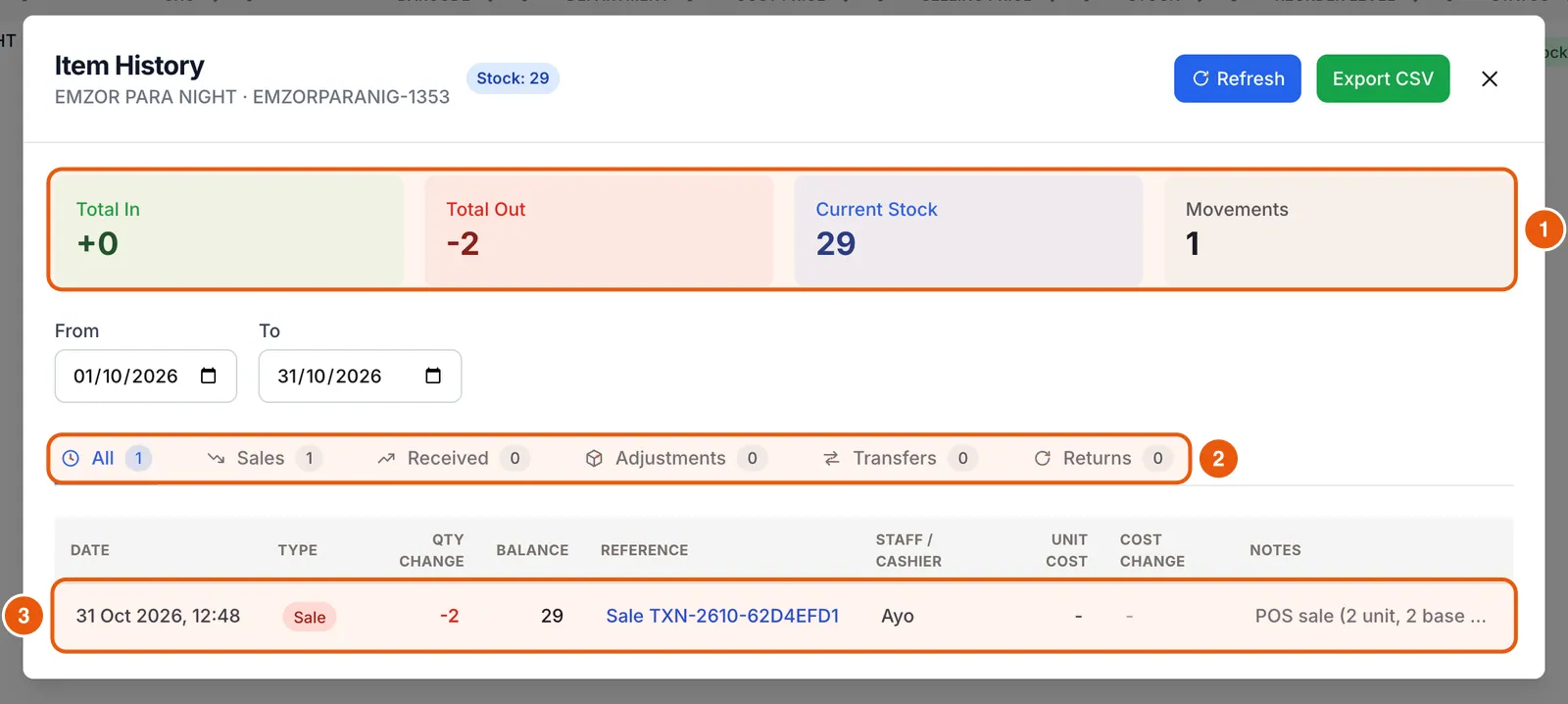
Every row has quick actions: Packaging and expiry, Edit, View item history, Expiry markdown and waste, and Delete. Click Edit, change the cells and press Enter to save (Esc cancels).

Import a spreadsheet
Compazz matches existing products by SKU or barcode, so re-importing updates items instead of duplicating them.
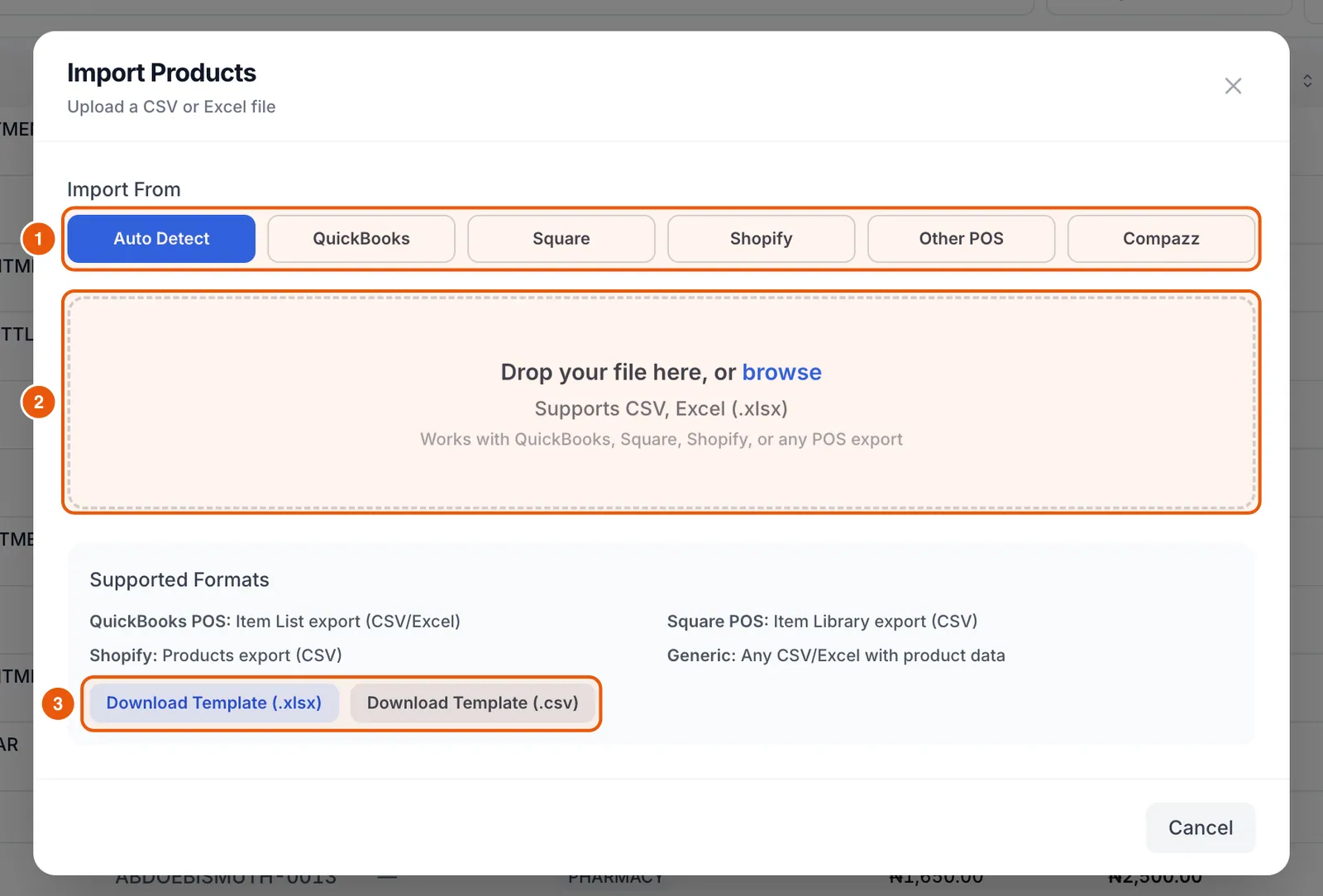
- 1Click Import. Choose where your file came from (Auto Detect works for most) and click Download Template if you are starting fresh.
- 2Fill in Product Name, SKU, Barcode, Category, Selling Price, Cost Price, Stock Qty and Reorder Level. Description, Reorder Qty, Tax Rate, Active and Supplier are optional.
- 3Drop the file on the box or click browse. CSV and Excel (.xlsx) both work.
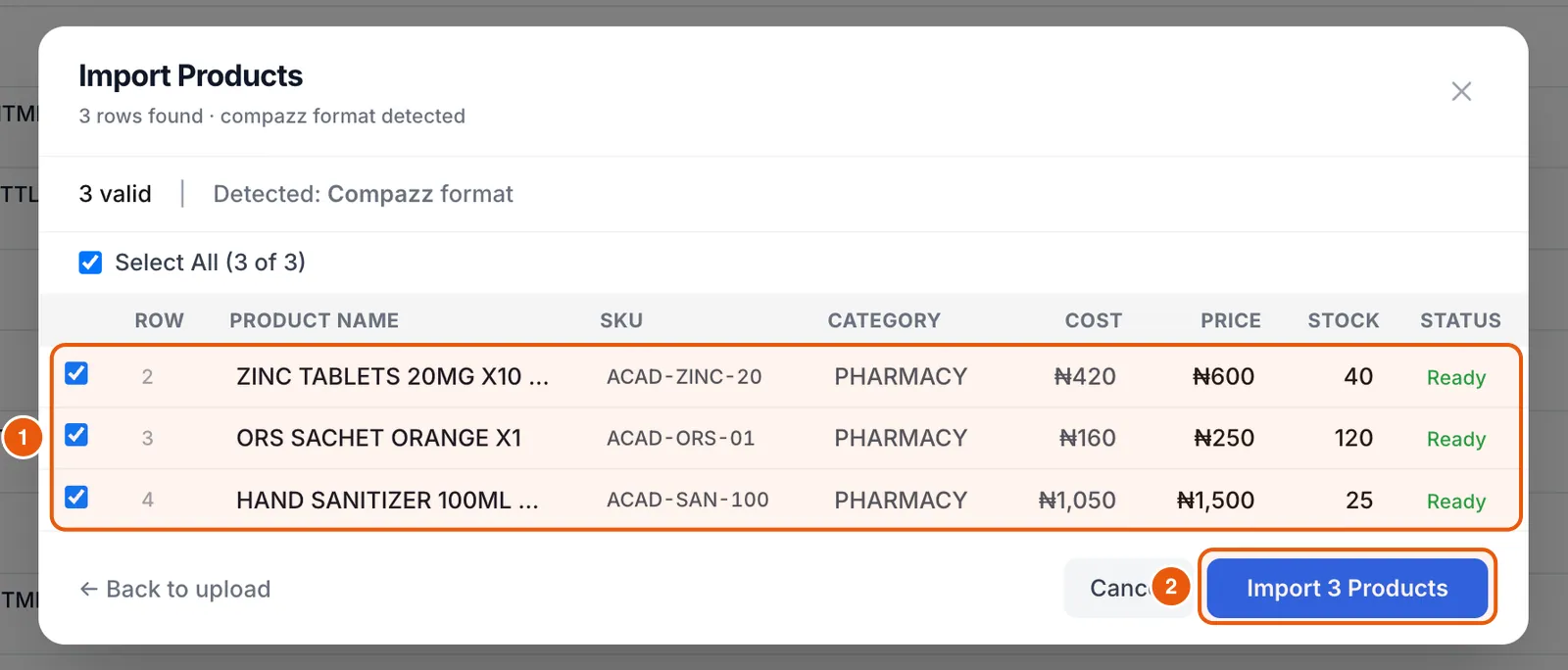
- 4Check the preview: every row should say Ready. Untick rows you do not want, then click Import.
Frequently asked questions
Can I import from my old POS?
Yes. Export your item list from QuickBooks, Square, Shopify or any POS as CSV or Excel and choose its source in Import. Auto Detect handles most layouts.
Will importing duplicate my existing products?
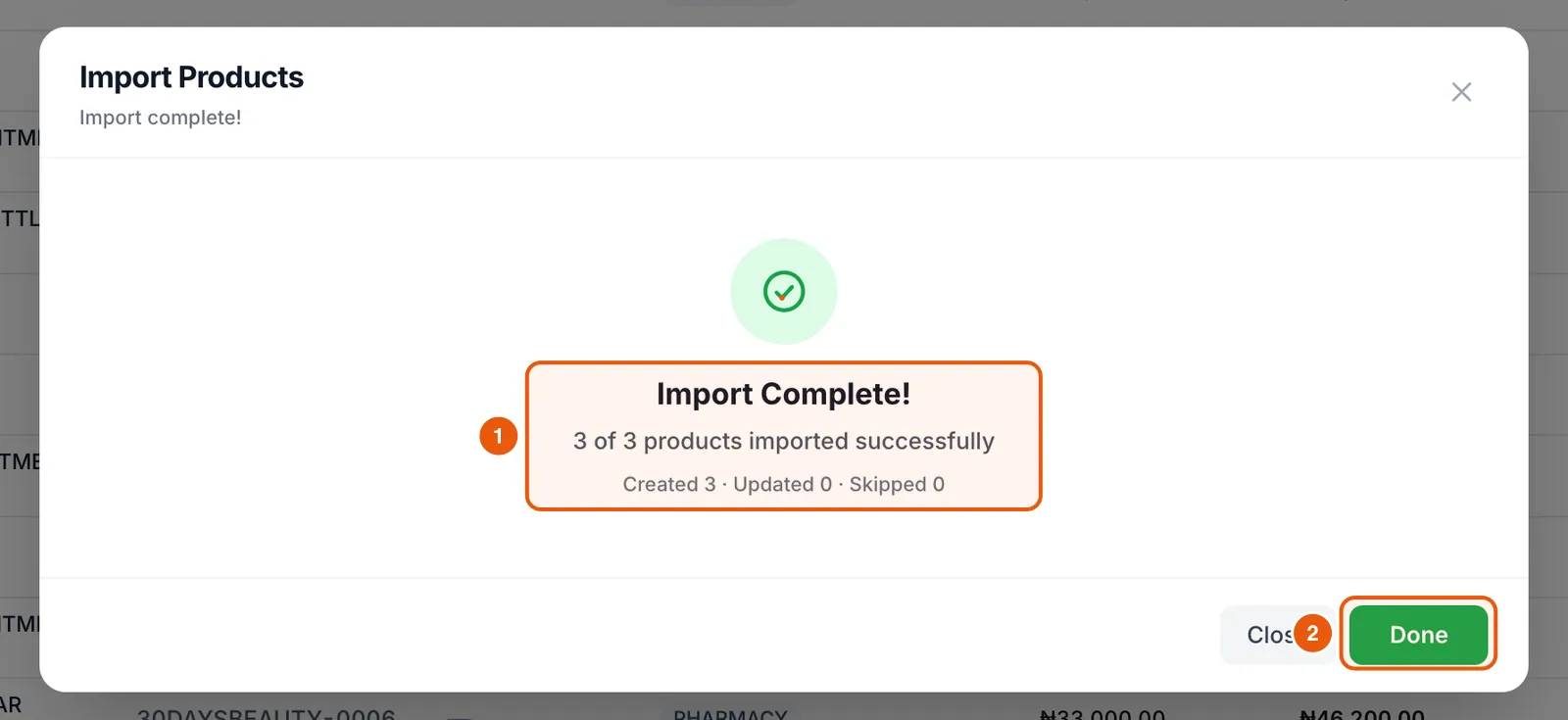
No. Rows that match an existing SKU or barcode update that product. Check the Created, Updated and Skipped counts after import.
How do I export my products?
Click Export on the Items tab to download your catalogue as a spreadsheet.
Ready to do this in your own shop?
Start free and follow this guide step by step, or book a call and we’ll set it up with you.
Keep learning