How to create purchase orders and know exactly what to reorder
Let Compazz rank what is about to run out by sales pace and days of cover, turn it into a purchase list or draft purchase orders, then receive deliveries against them.

Why it matters
Buy what sells, before it runs out, and stop tying cash up in what doesn’t.
Data, not guesswork
Sales pace and days of cover tell you what is genuinely at risk.
Lists in seconds
Tick lines and print a market list or create draft POs grouped by supplier.
Nothing falls through
Purchase orders stay open until every line has arrived.
What you’ll be able to do
- Read stock risk and sales pace
- Build a purchase list
- Create draft purchase orders
- Receive deliveries against a PO
Read the recommendations
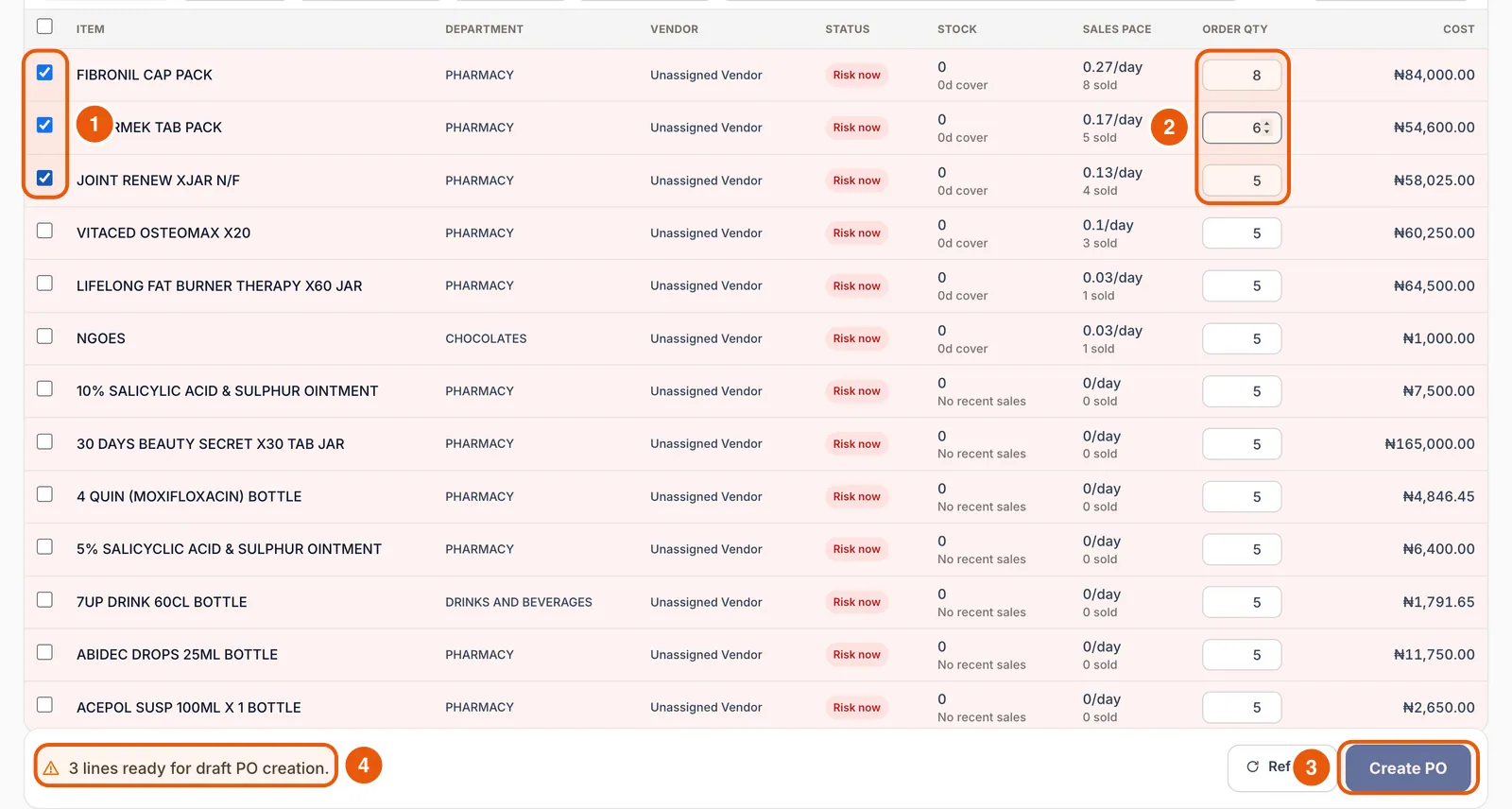
Purchasing lists items with their department, supplier, status (for example Risk now), stock and days of cover, sales pace per day and a suggested order quantity with its cost. Filter by signal, department or supplier, sort by Fastest selling, or search.
Pick lines and set quantities
Tick the items you want and adjust Order qty. The bar at the bottom counts the lines ready.
Create the purchase list or POs
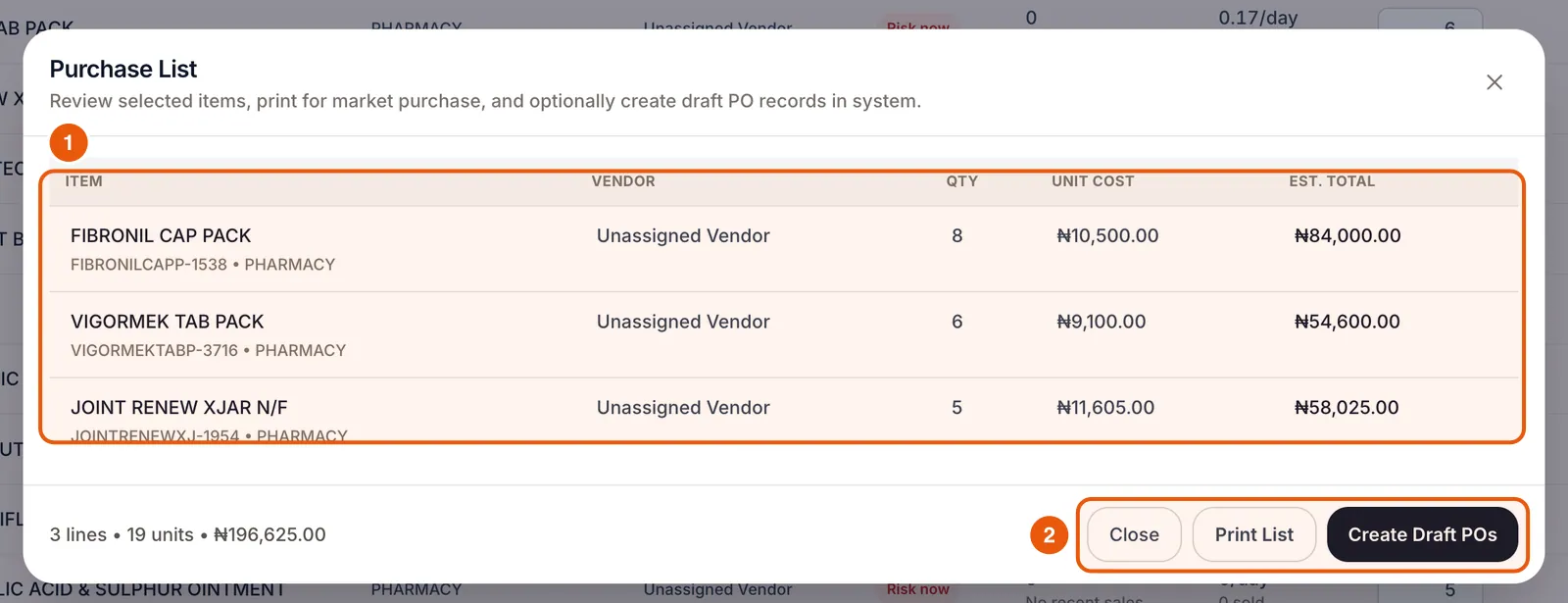
Tap Create PO to review the Purchase List with supplier, quantity, unit cost and estimated total. Print List gives you a sheet for market runs. Create Draft POs saves purchase orders in the system.
Track and receive purchase orders
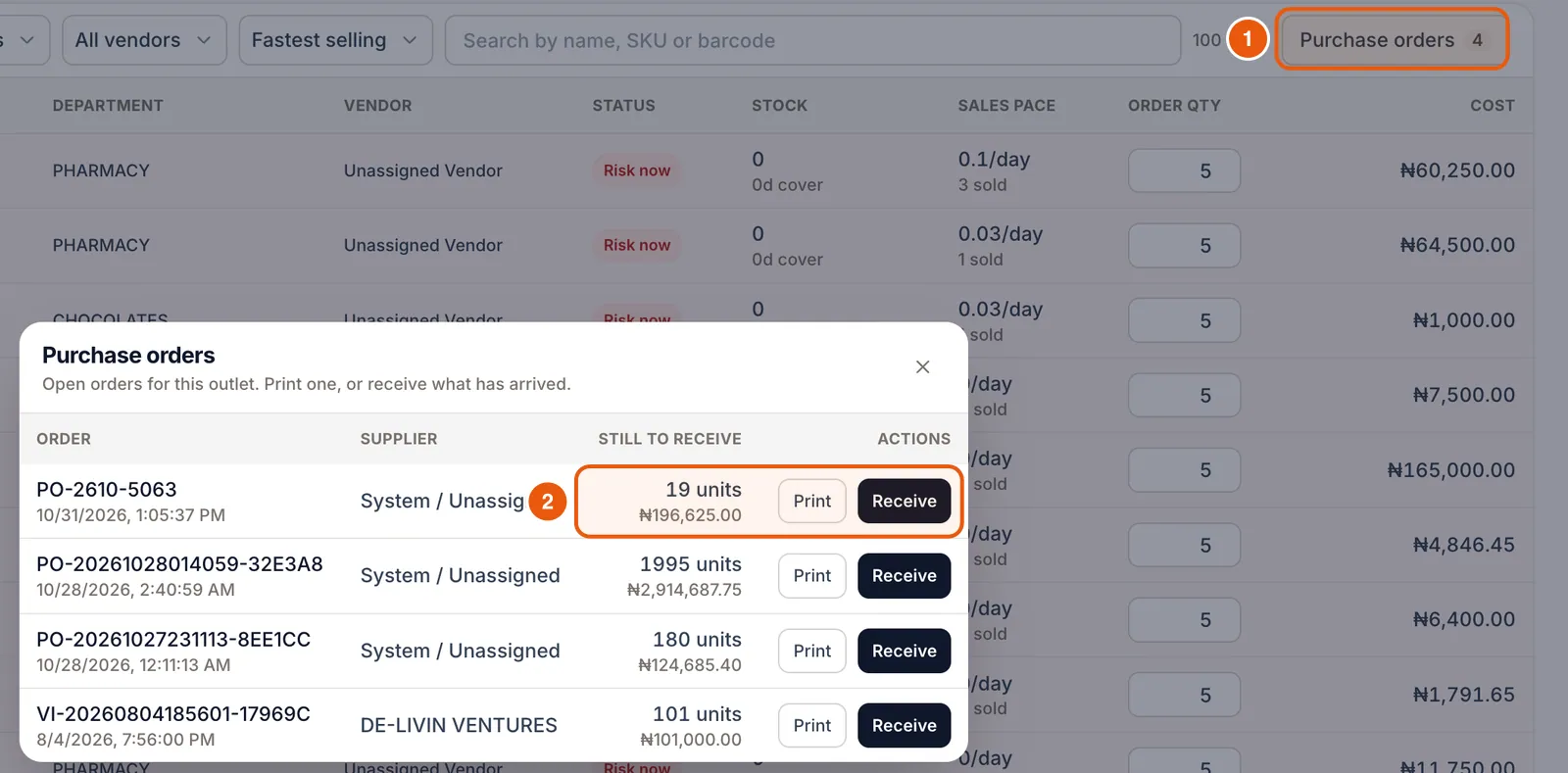
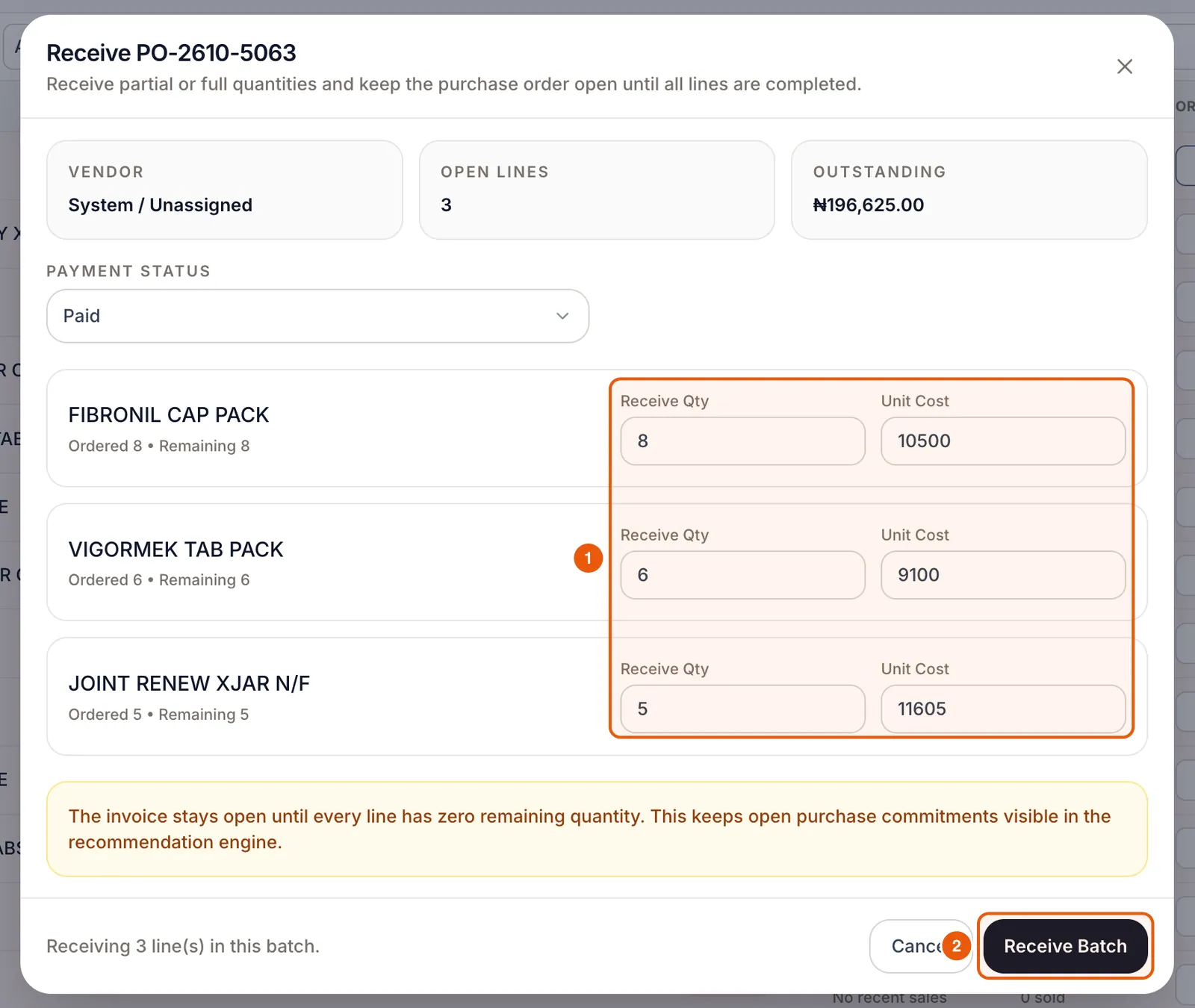
Tap Purchase orders to see every open order with what is still to receive. Print sends one to your supplier. Receive opens the order so you can enter what arrived, with unit costs and payment status, then Receive Batch.
Frequently asked questions
How does Compazz decide what is at risk?
It compares current stock with how fast each item has sold recently (sales pace) to estimate days of cover, and flags items with little or no cover.
Can I order from the market without a supplier account?
Yes. Use Print List to take a purchase list to the market, then receive the goods in Receive Items.
Ready to do this in your own shop?
Start free and follow this guide step by step, or book a call and we’ll set it up with you.
Keep learning