How to set up staff, PINs and permissions safely
Create staff profiles with their own PINs, choose which POS tabs each role can open, cap discounts and require manager approval for voids.
Why it matters
The right access for each person is the cheapest security you will ever buy.
Accountability
Individual PINs put a name on every sale, discount, void and stock change.
Least access
Cashiers sell. Managers manage. Only owners see everything.
Guard rails
Discount limits and manager PINs stop the most common till losses.
What you’ll be able to do
- Create staff and PINs
- Set POS tabs per staff type
- Configure discount and void controls
Create staff profiles
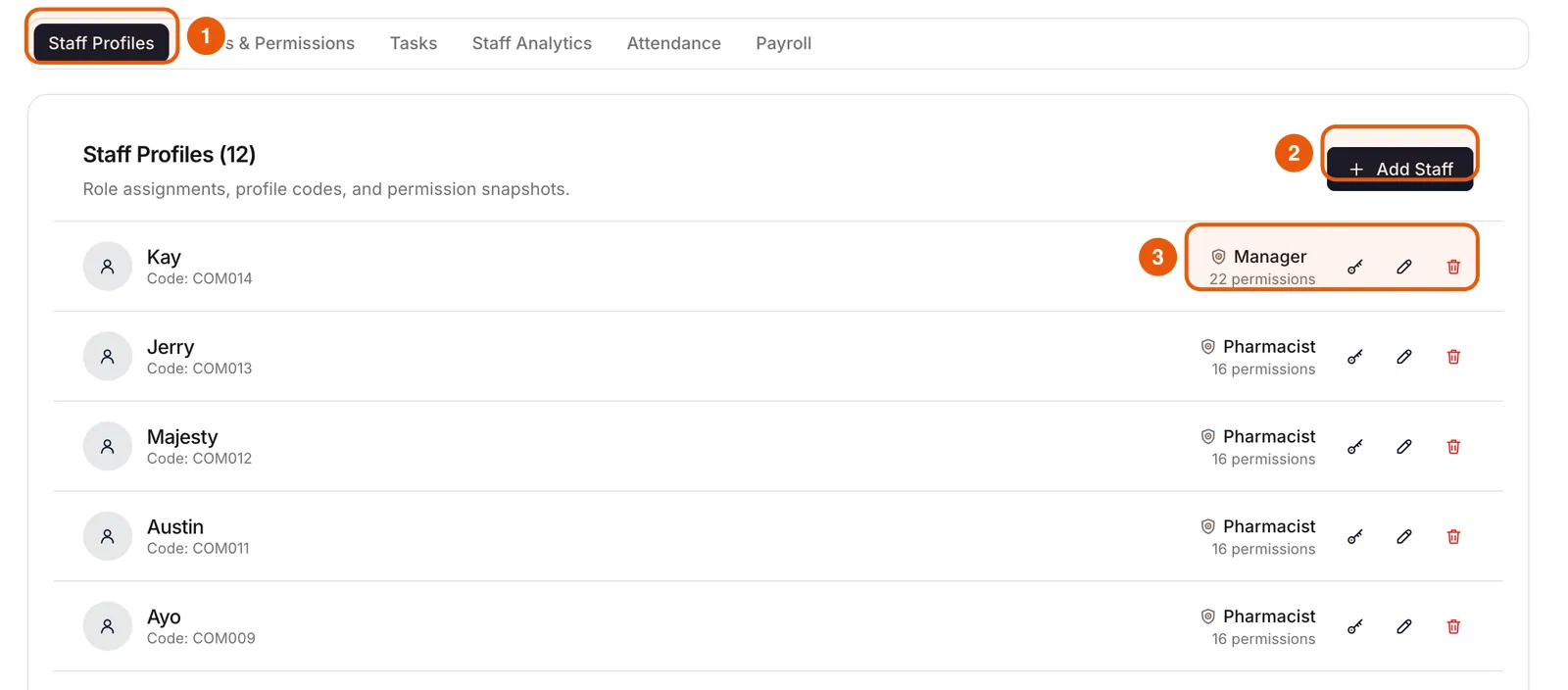
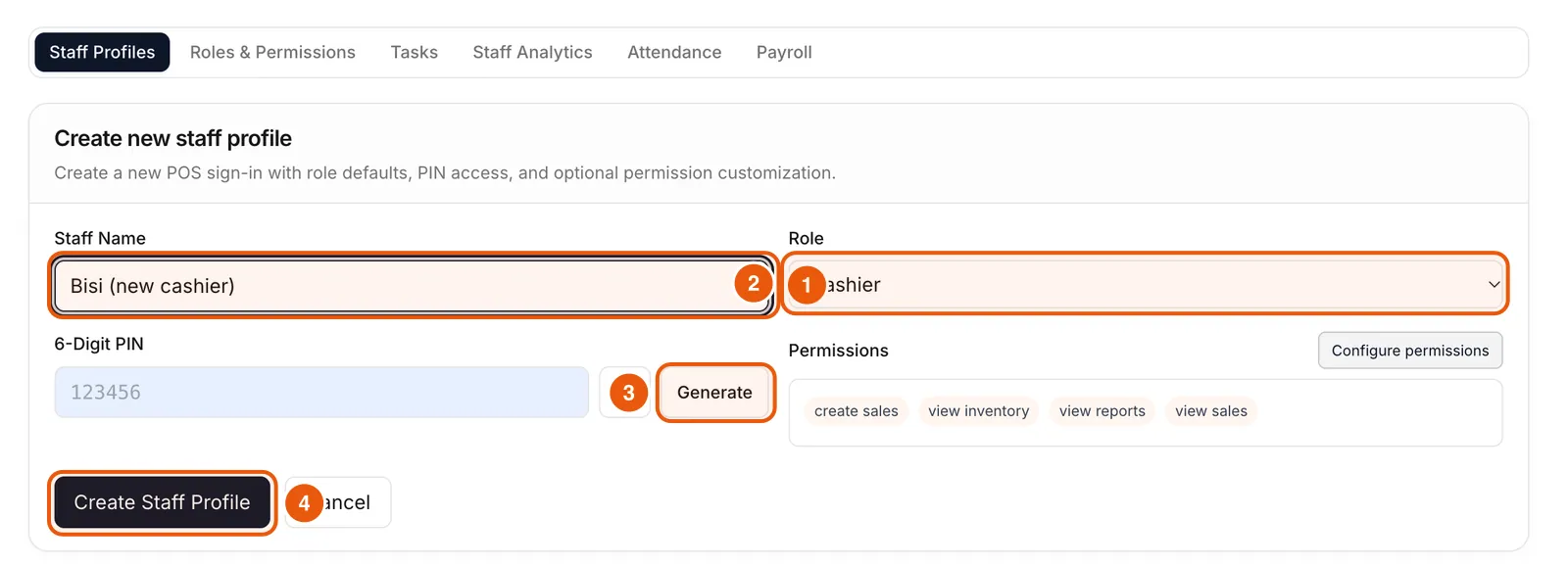
In the dashboard, Staff Management lists every profile with its code, role and permission count. Add Staff creates a new one with a 6-digit PIN. Edit, reset PIN or deactivate from the icons on each row.
Choose tabs for each staff type
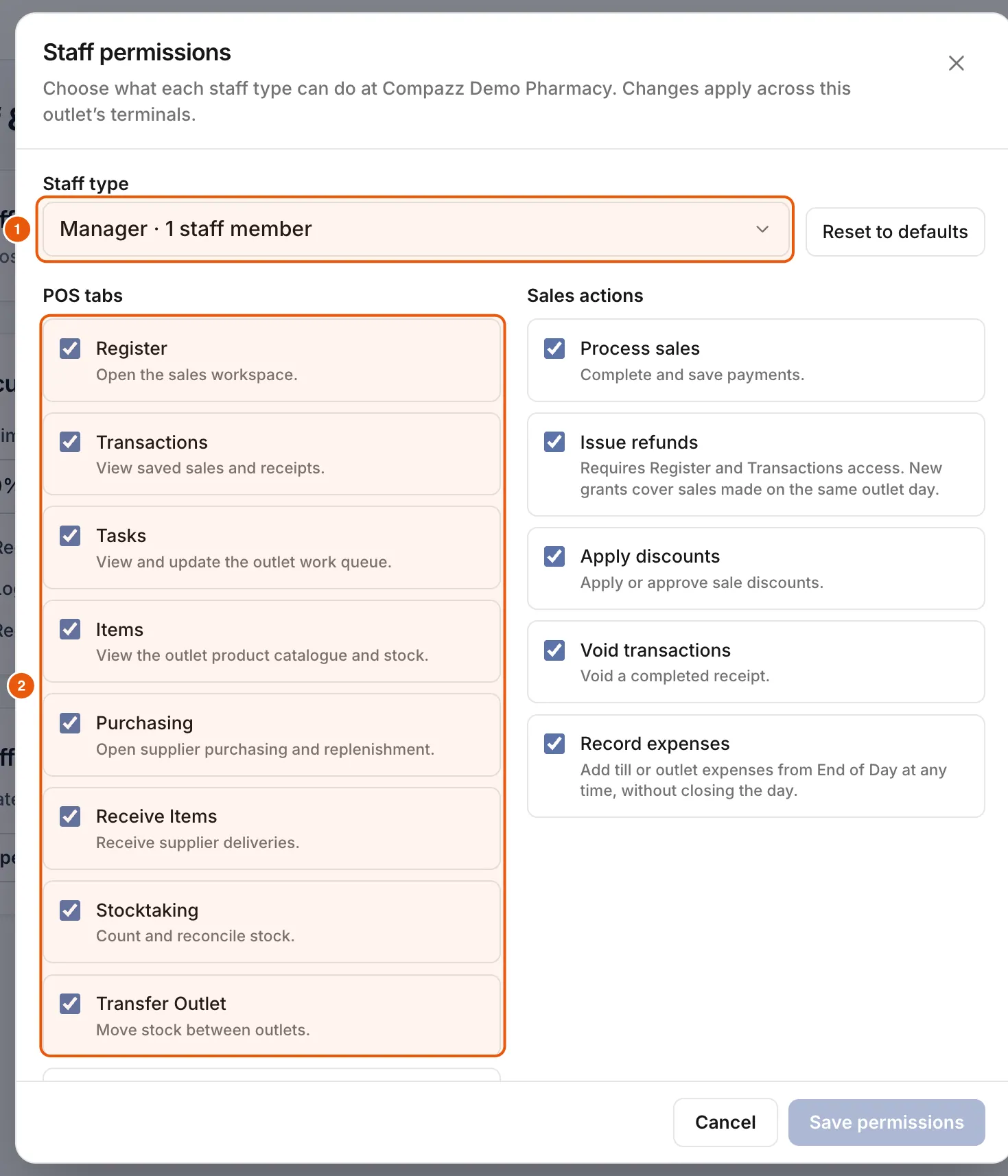
- 1In the POS, sign in as a manager and open Settings → Staff & Security.
- 2Tap Manage permissions and pick a staff type.
- 3Turn tabs on or off: Register, Transactions, Tasks, Items, Purchasing, Receive Items, Stocktaking, Transfer Outlet, Pharmacy Patients, Butchering, End of Day.
- 4Tap Save permissions. Changes apply across this outlet’s terminals.
Set security rules
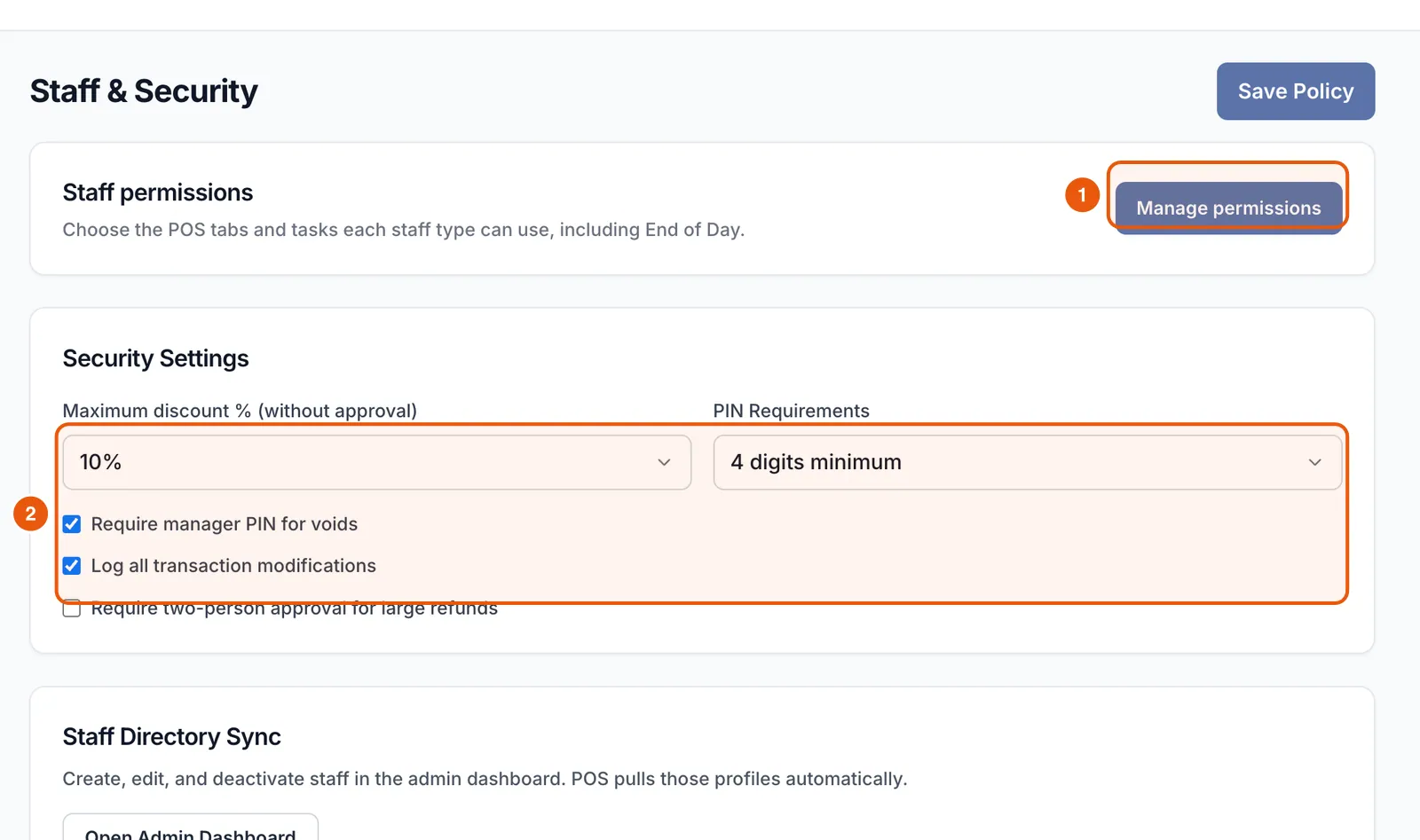
In the same screen, set the maximum discount % allowed without approval, PIN requirements, manager PIN for voids, logging of transaction changes, and two-person approval for large refunds.
Review access as roles change
When someone leaves or changes role, update their profile the same day. Review your staff list monthly.
Ready to do this in your own shop?
Start free and follow this guide step by step, or book a call and we’ll set it up with you.
Keep learning