How to set up receipts, printers and barcode scanners
Design your receipt, connect printers and scanners, choose how this device types, link card terminals and set your outlet’s look, all from POS Settings.
Why it matters
A well-set-up counter is faster, looks more professional and makes fewer mistakes.
Branded receipts
Your name, logo, contacts and a QR code on every receipt.
Scan everything
Scanners, keypads and printers configured once and shared across devices.
Card payments that match
Linked card terminals confirm payments so you don’t have to.
What you’ll be able to do
- Design your receipt
- Set up hardware and typing mode
- Configure the terminal and card payments
- Pick colours and theme
Design your receipt
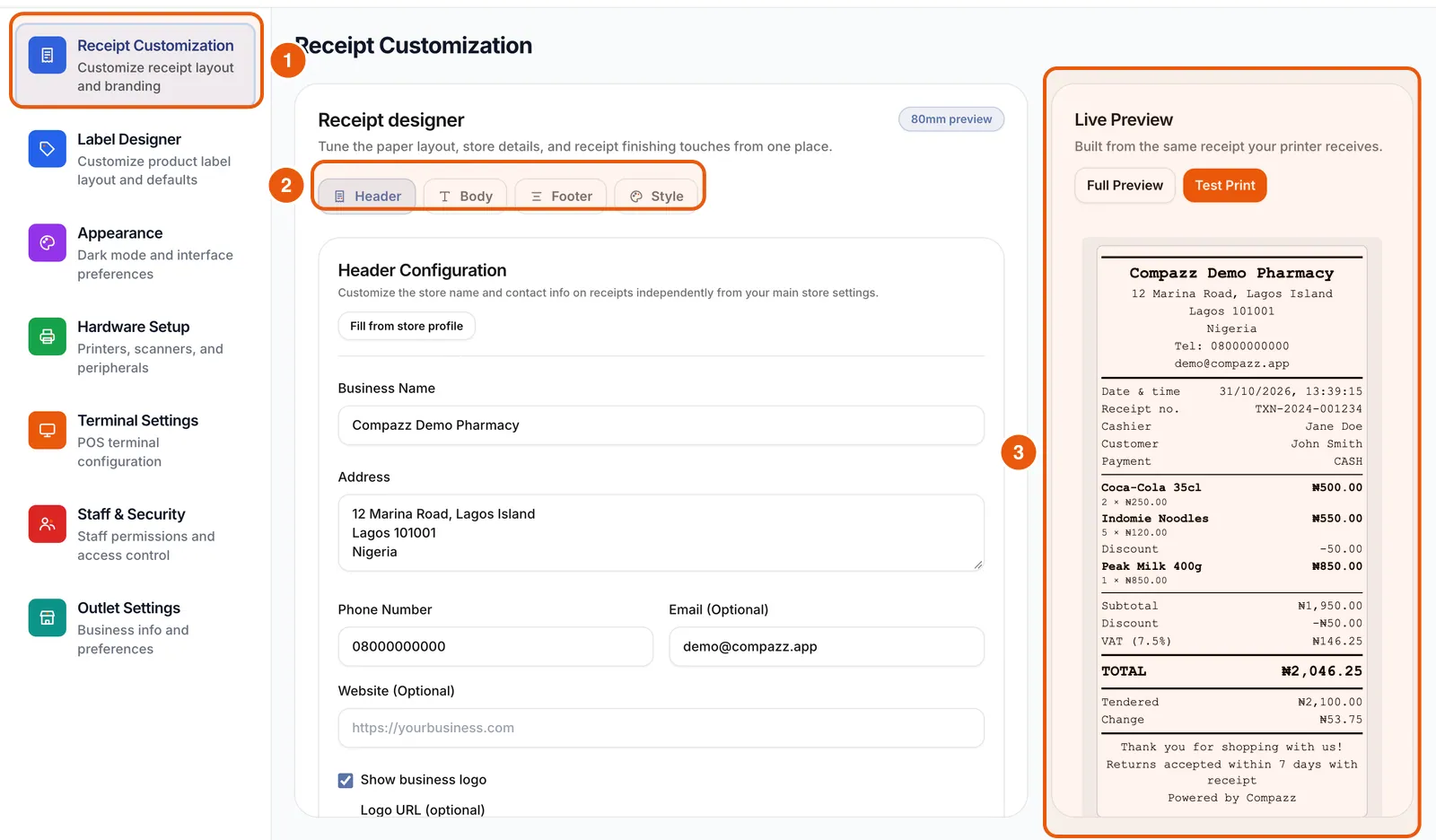
Settings → Receipt Customization opens a receipt designer with Header, Body, Footer and Style. Fill from store profile, add your logo, switch on the digital receipt QR code, then Save Settings. The live 80mm preview matches what prints, and Test Print checks your printer.
Hardware setup
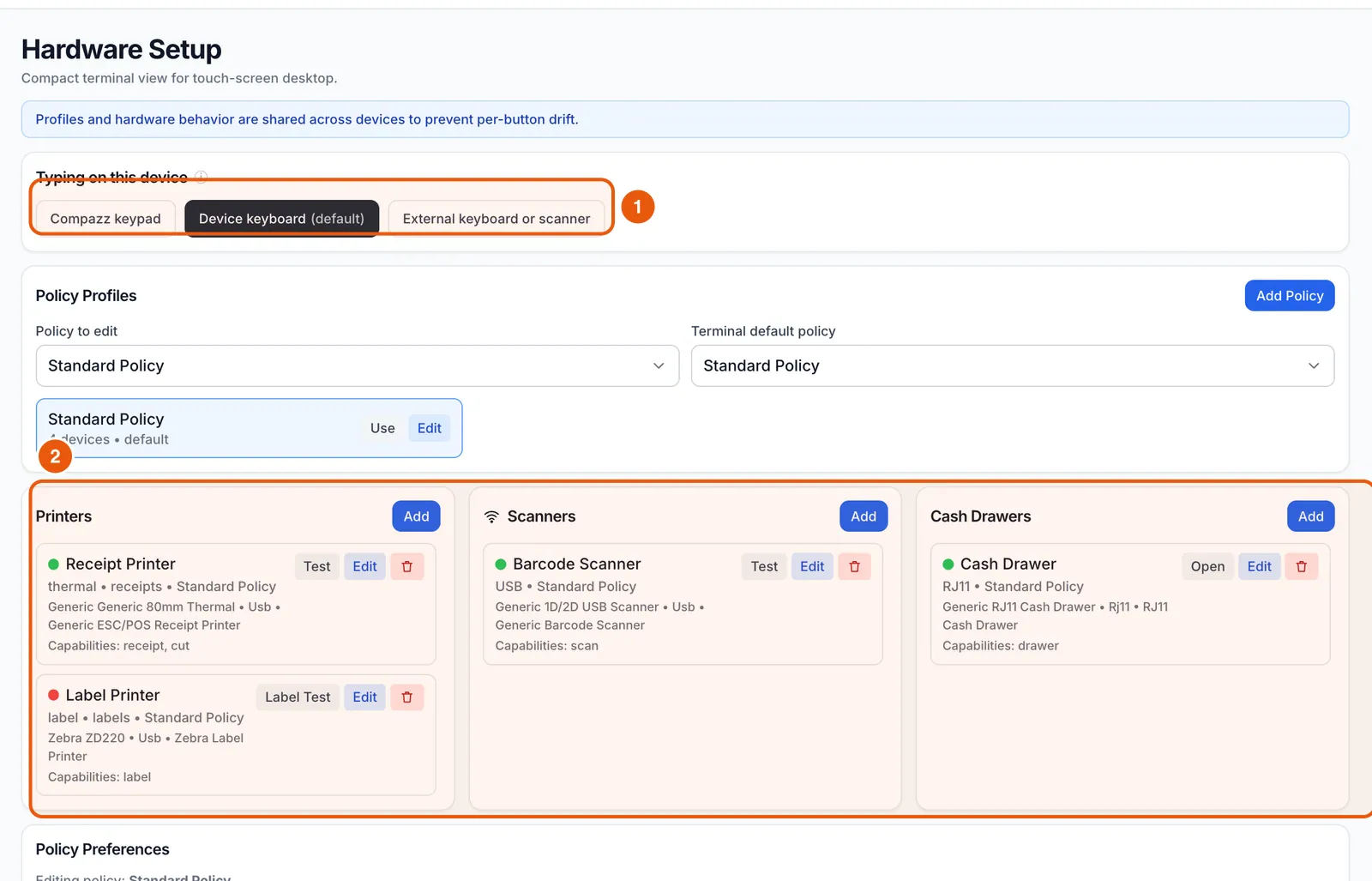
Hardware Setup controls the compact terminal view for touch screens, how this device types (Compazz keypad, the device keyboard, or an external keyboard or scanner) and policy profiles shared across devices.
Terminal and card payments
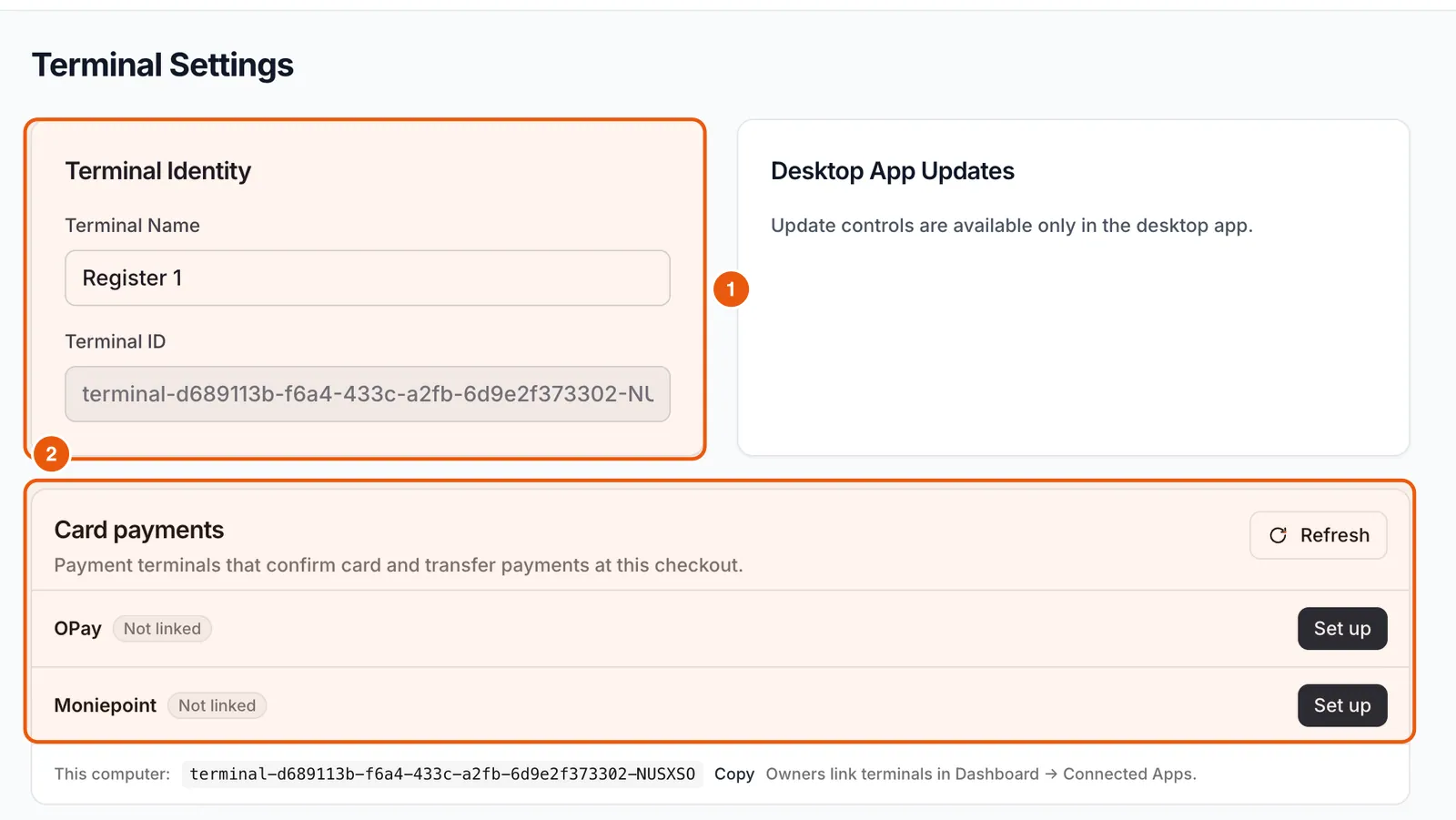
Terminal Settings shows this terminal’s name and ID, desktop app updates, and card payment terminals. Link OPay or Moniepoint with Set up so card and transfer payments are confirmed at checkout.
Appearance
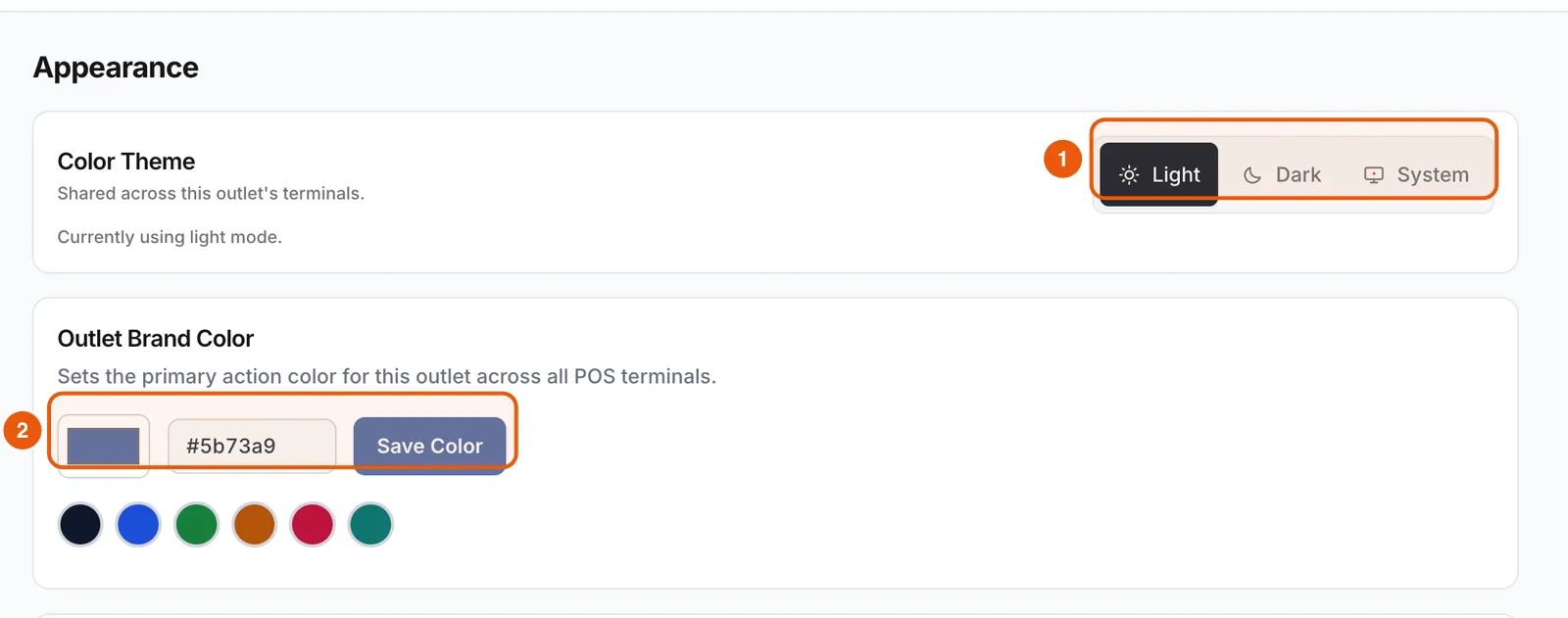
Choose Light, Dark or System theme, set your outlet’s brand colour and pick a background style. These are shared across your outlet’s terminals.
Ready to do this in your own shop?
Start free and follow this guide step by step, or book a call and we’ll set it up with you.
Keep learning