How to find a receipt, reprint it and process a return
Search past sales by date, receipt number or customer, reprint receipts and return part or all of a sale, with stock going straight back to the shelf.
Why it matters
Returns done right protect both your customer and your stock count.
No paper hunting
Find any receipt in seconds by date, receipt number or customer.
Stock goes back automatically
Returned items are added back to stock, so your counts stay true.
Every refund is accountable
Returns are tied to the original receipt and the staff member who processed them.
What you’ll be able to do
- Filter and search sales history
- Read a receipt’s full detail
- Return one item or a whole receipt
- Reprint or void a receipt
Find the sale
Open Transactions. It starts on today. Change the date, search by receipt number or customer, or filter by payment method and status.

Open the receipt
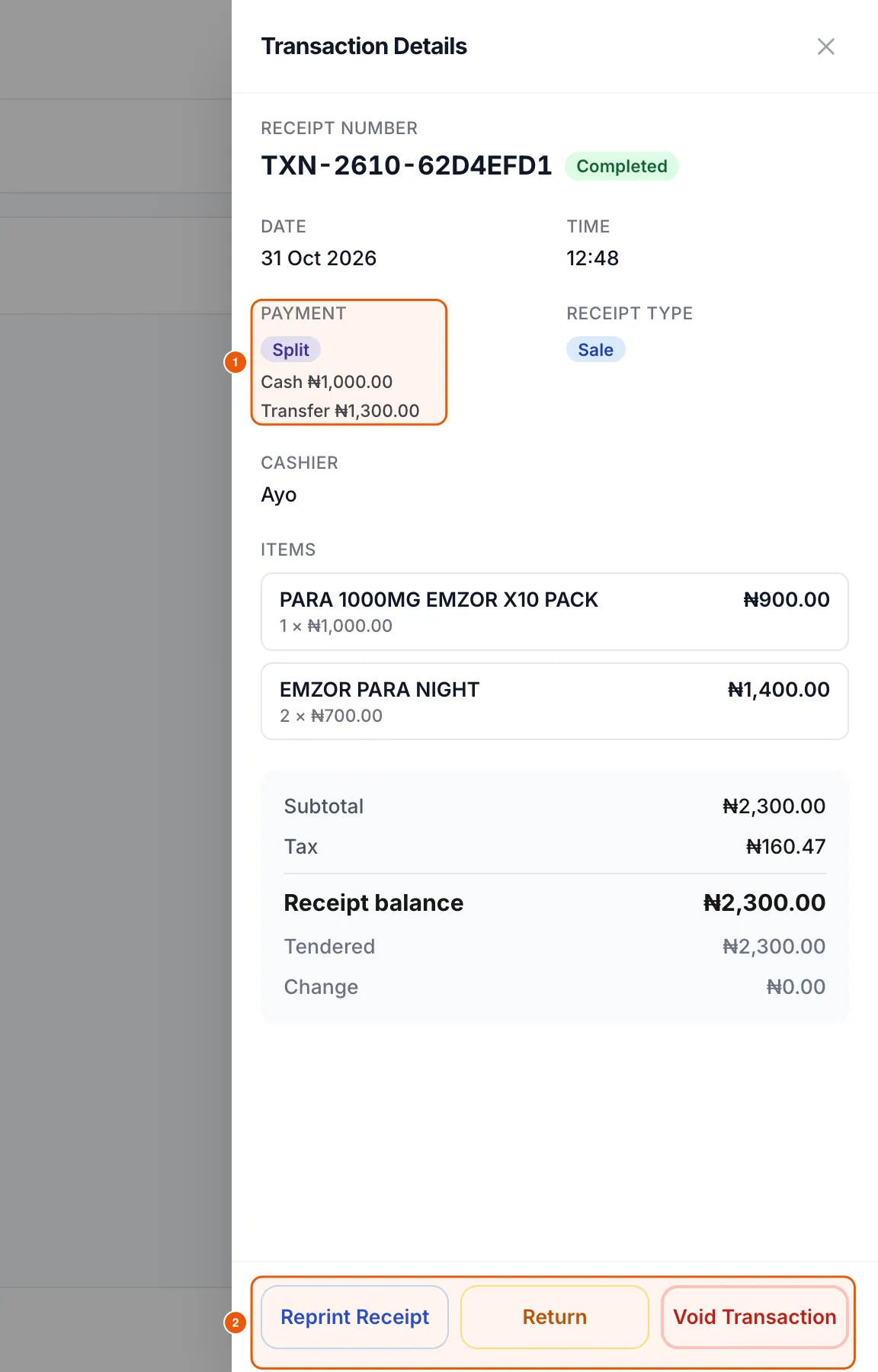
Tap a receipt to see the date, time, payment split, receipt type, cashier, every line with quantity and price, tax, amount tendered and change.
Process a return
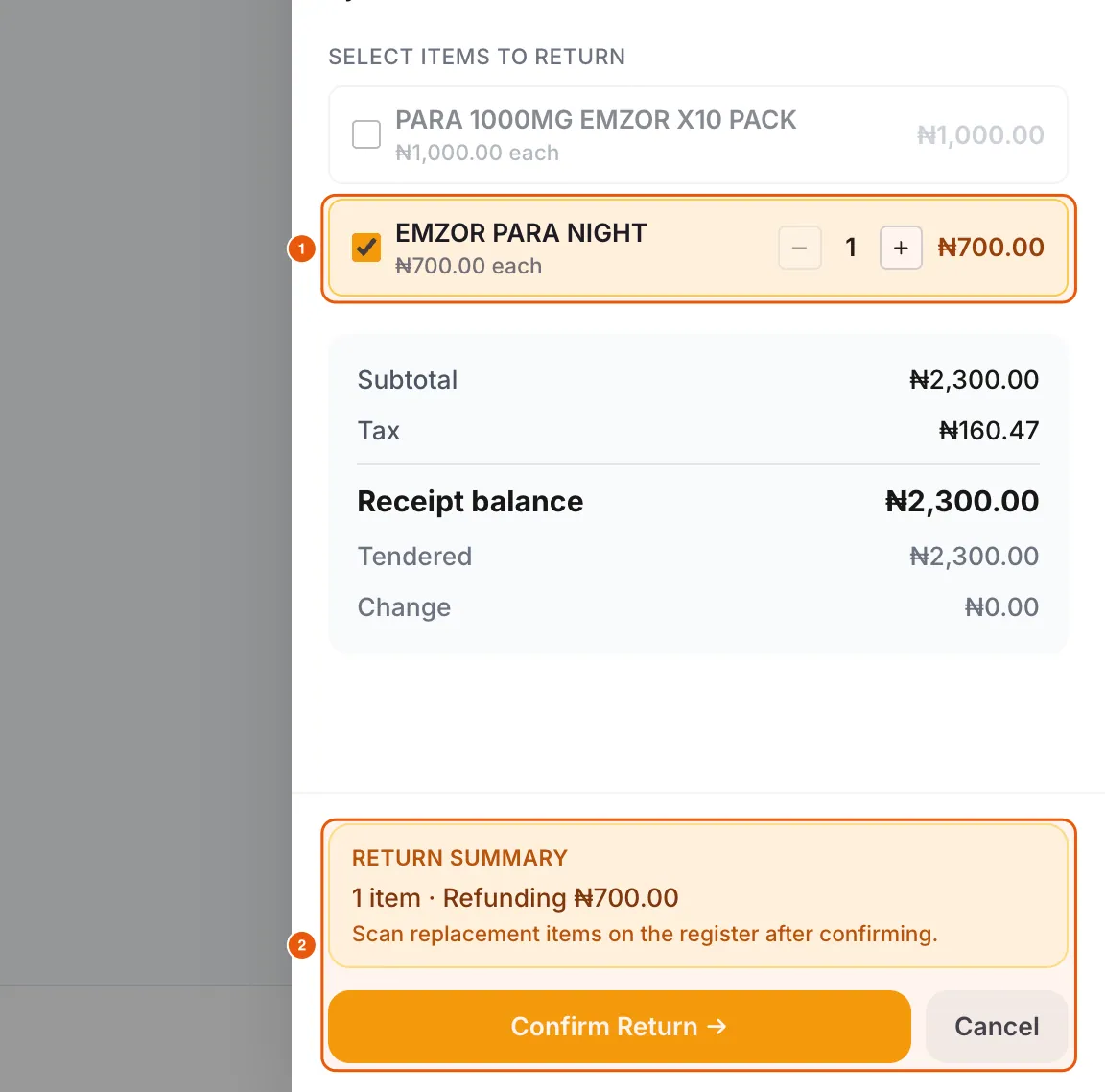
You can return part of a receipt, for example one of two items, or a smaller quantity than was sold.
- 1In the receipt, tap Return.
- 2Untick anything that is not coming back, and use − and + to set how many of each item are returned.
- 3Check the Return summary (items and refund amount), then tap Confirm Return.
- 4If the customer is swapping for something else, scan the replacement items on the Register afterwards.
Reprint or void
Reprint Receipt sends the receipt to your printer again. Void Transaction cancels a sale that should never have happened (for example, a test). Voids can require a manager PIN in Settings.
Frequently asked questions
Does a return put the item back in stock?
Yes. Returned quantities are added back to the item’s stock and appear as a Return in the item’s history.
What is the difference between a return and a void?
A return refunds goods the customer brings back. A void cancels the whole sale record, usually for mistakes on the same day.
Ready to do this in your own shop?
Start free and follow this guide step by step, or book a call and we’ll set it up with you.
Keep learning