How to investigate stock differences and stop shrinkage
When the shelf and the system disagree, use item history, stocktake reasons and write-offs to find out why, and fix the cause instead of just the number.
Why it matters
Every unexplained difference is either a process gap or a person, and both are fixable.
Follow the trail
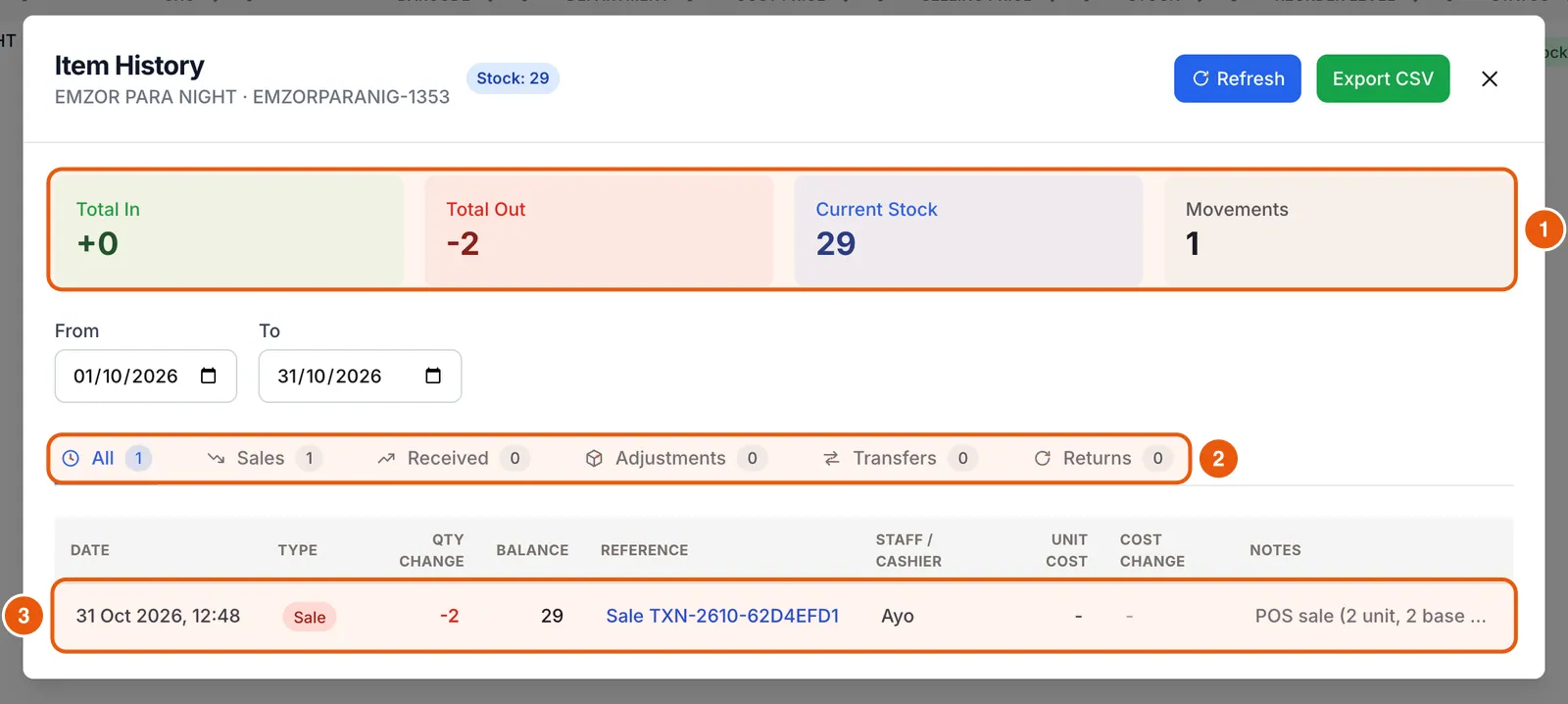
Every sale, receipt, transfer, return and adjustment is logged with who did it.
Spot patterns
Reasons on stocktake lines show whether losses are damage, theft or supplier shortages.
Fix the cause
Tighten the step that failed: receiving, transfers, discounts or shelf security.
What you’ll be able to do
- Read an item’s movement history
- Use stocktake reasons and history
- Write off genuine waste correctly
Recount first
Check back stock, displays and the receiving area, and ask whether anything is on hold or in transit. Many “losses” are miscounts.
Open the item’s history
Look for a receipt that was never received, a transfer still pending, or a sale with an unusual quantity.
- 1In Items, find the product and click the clock icon (View item history).
- 2Set the date range back to the last time the count was right.
- 3Filter by Sales, Received, Adjustments, Transfers or Returns, and read the running balance.
Use reasons on every correction
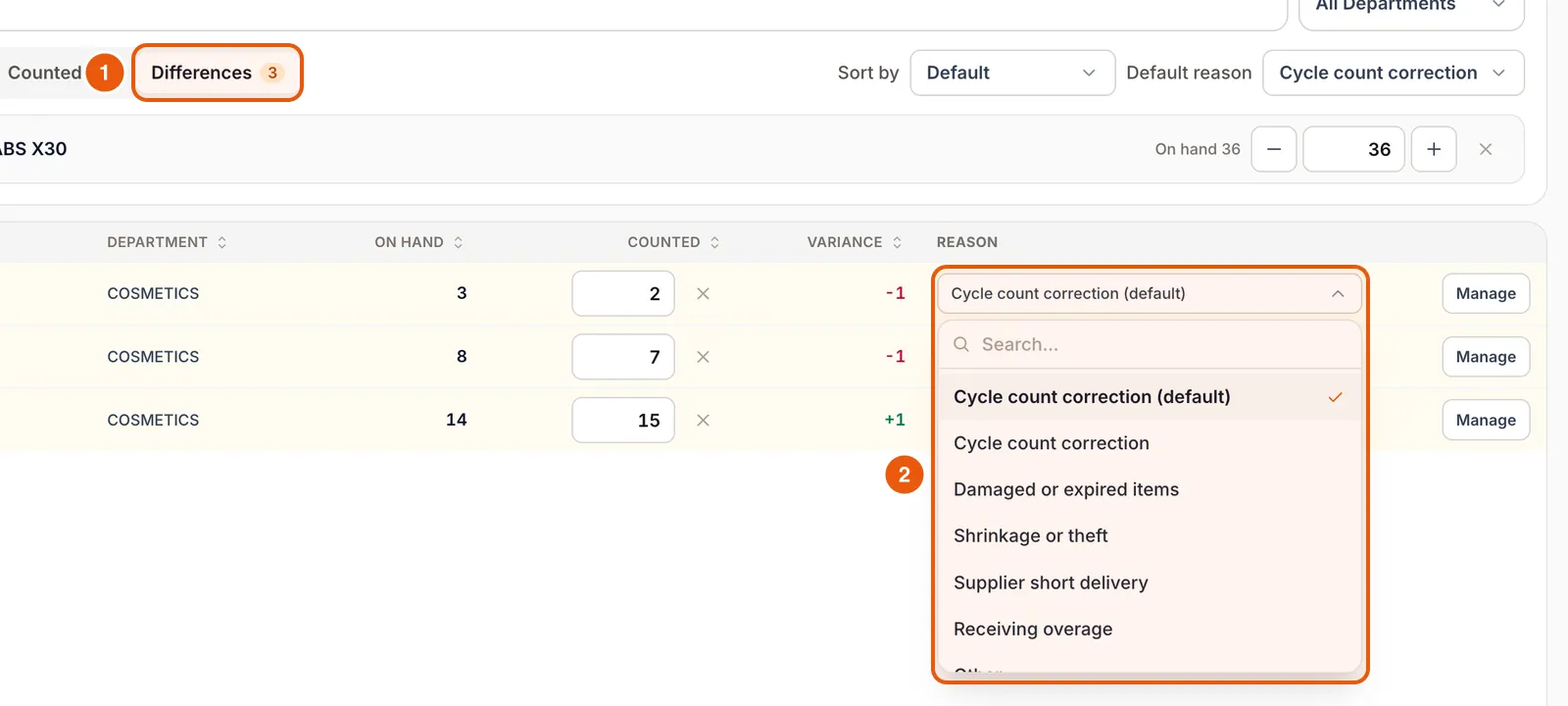
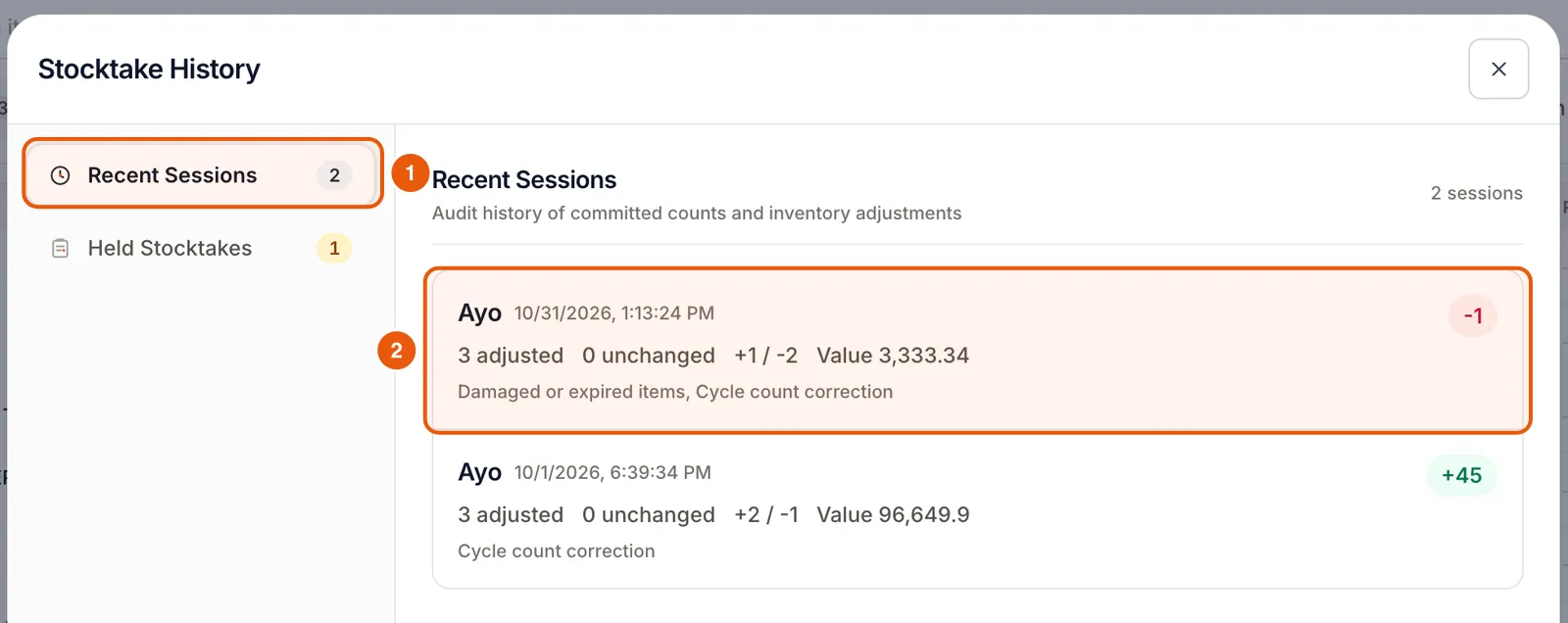
When you correct stock in Stocktaking, choose a real reason, not just the default. After a few weeks, Stocktake History shows where your losses actually come from.
Separate waste from mystery loss
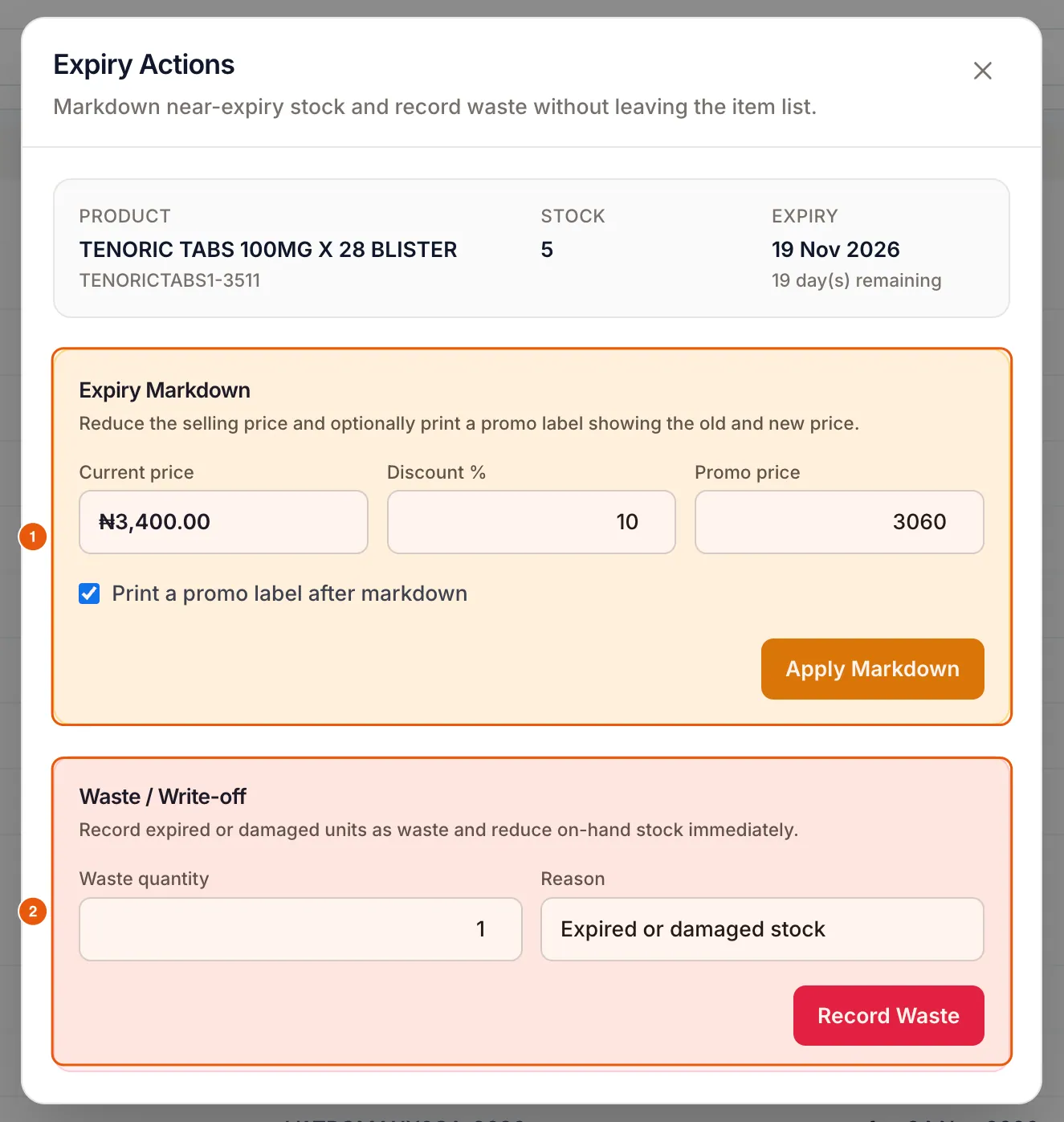
Record expired and damaged stock with Expiry markdown and waste on the item. Waste then shows up as its own movement instead of inflating “unexplained” differences.
Frequently asked questions
Who can adjust stock?
Only staff types with stocktaking or inventory permission. Owners control this in Staff & Security permissions.
Ready to do this in your own shop?
Start free and follow this guide step by step, or book a call and we’ll set it up with you.
Keep learning