How to close your day and reconcile cash in Compazz POS
Compare what the system says you sold with what is in the drawer: opening float, cash counted, over/short, expenses with receipts, and a saved report the owner can review from anywhere.
Why it matters
Ten minutes at close stops small leaks becoming big losses.
Shortages surface tonight
Over/short is calculated as you type, while everyone still remembers the day.
Every method separated
Cash, transfer, card and HMO each have their own total to match against the drawer and bank alerts.
Owner peace of mind
Reports are saved to the dashboard with who closed and the over/short, so you can review from anywhere.
What you’ll be able to do
- Read sales by payment method
- Reconcile cash and spot shortages
- Log expenses with photos
- Submit and review EOD reports
Check sales by payment method
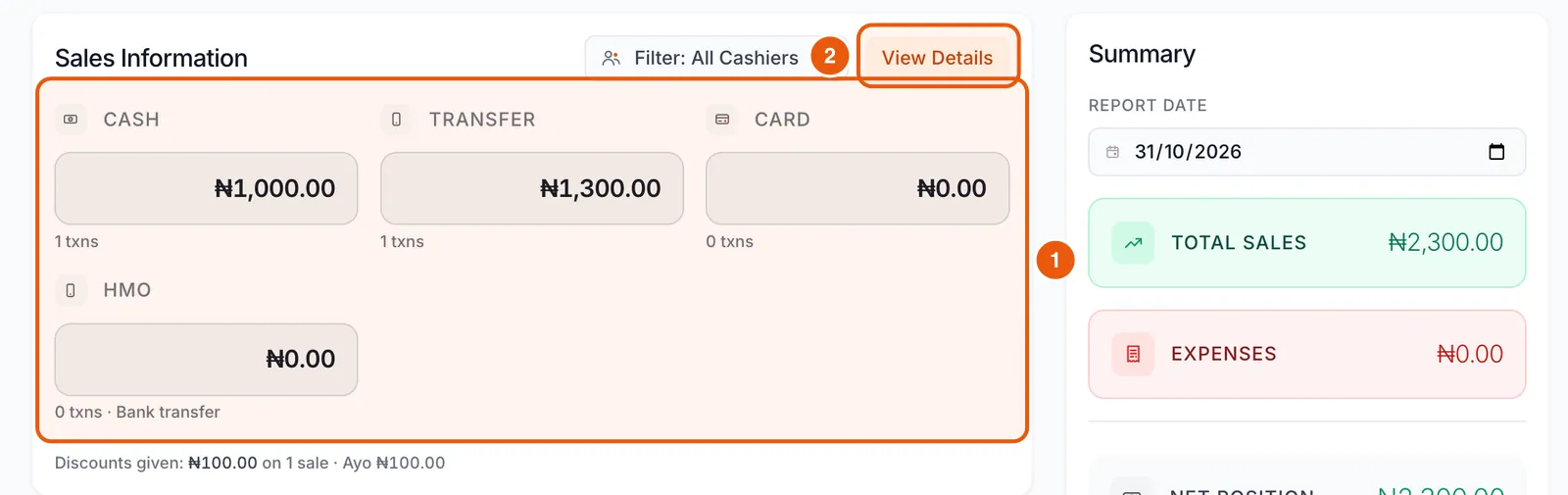
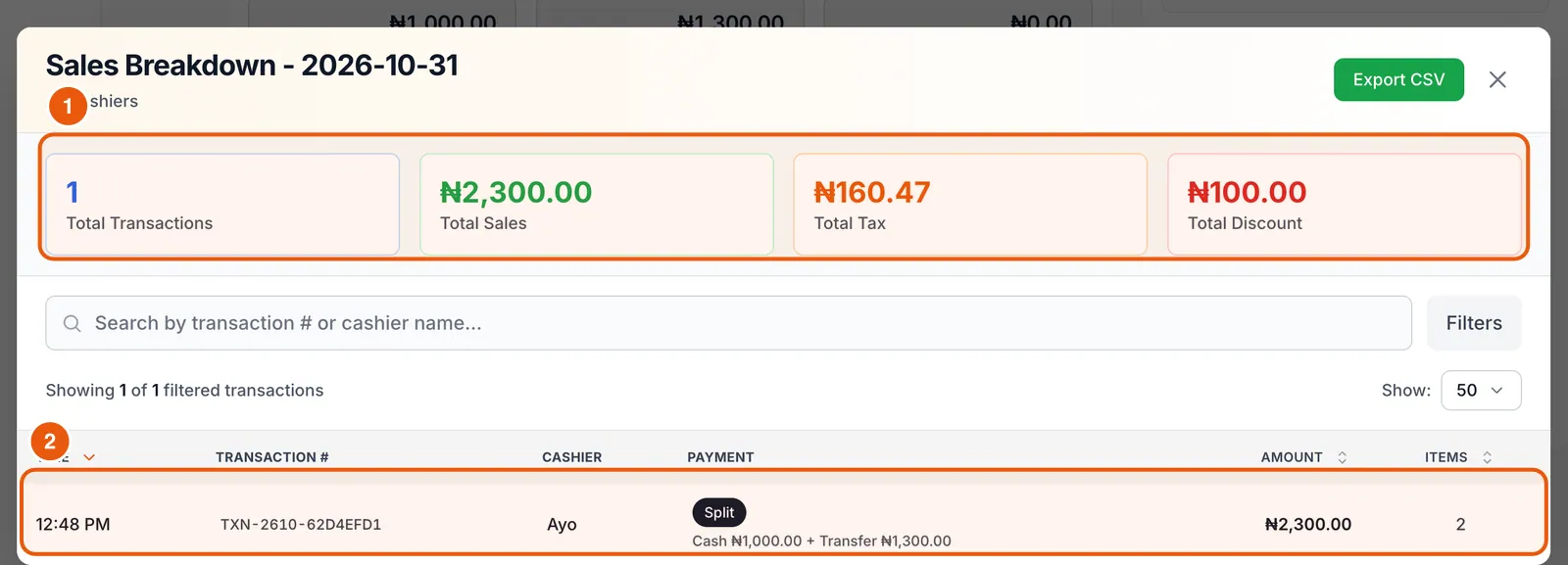
End of Day opens with Sales Information: totals and transaction counts for Cash, Transfer, Card and HMO, plus discounts given. Use Filter to see one cashier, and View Details for every receipt.
Reconcile the cash drawer
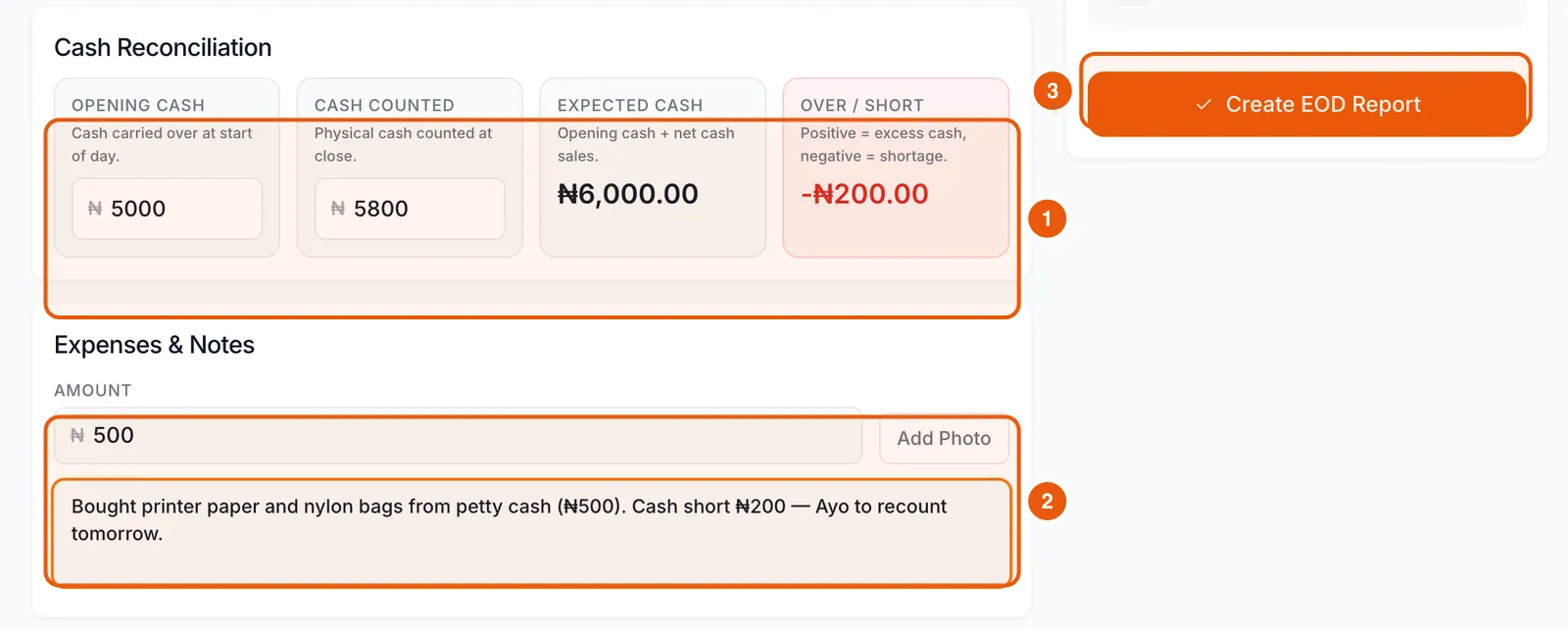
- 1Enter your Opening cash: the float you started with.
- 2Count the drawer and enter Cash counted.
- 3Compare with Expected cash (opening cash + net cash sales). Over / Short shows the difference: positive is extra cash, negative is a shortage.
Log expenses and notes
Enter any cash paid out today, tap Add Photo to attach the receipt, and write a short note, especially explaining any shortage. Then check the Summary: total sales, expenses and net position.
Submit the report
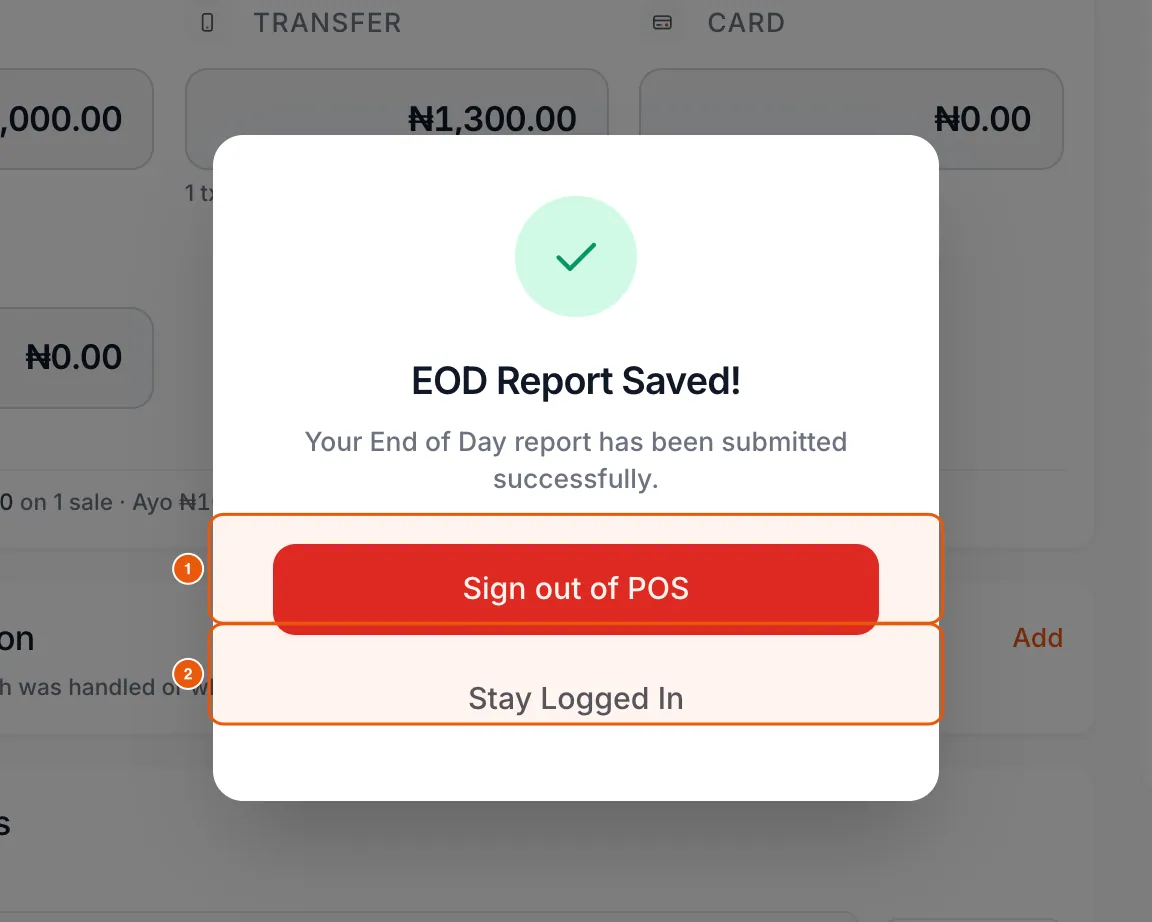
Tap Create EOD Report. Then sign out of the POS, or stay logged in if another shift is starting.
Review EOD history in the dashboard
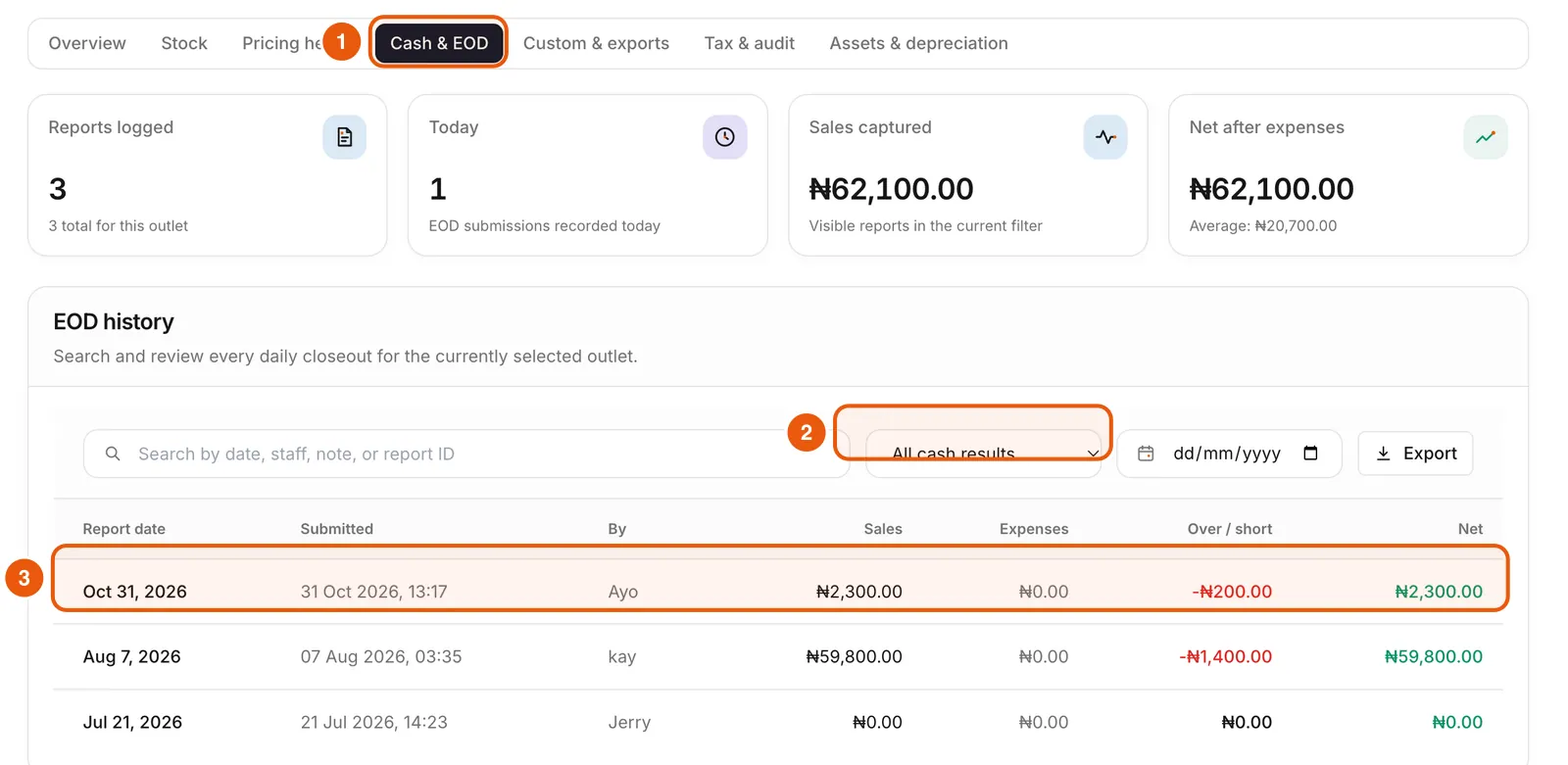
In the dashboard, Reports → Cash & EOD lists every close with who submitted it, sales, expenses and over/short. Filter to Non-zero variance or Cash short only to find problems fast, and export for your accountant.
Frequently asked questions
What if I have more than one shift a day?
Each shift can submit its own End of Day. Use the cashier filter to reconcile one person’s sales.
Why is my expected cash different from my cash sales?
Expected cash adds your opening float to net cash sales (after cash refunds and change).
Ready to do this in your own shop?
Start free and follow this guide step by step, or book a call and we’ll set it up with you.
Keep learning